Showing posts with label Technology. Show all posts

Sunday, January 13, 2013

Junq Tour 2012: Altona

I forgot to take a picture of the Thrift Store while I was there because I was so tickled pink with breast cancer awareness from my finds. They're actually quite unique this time, and there's not a bad singer (or any singer) to be found anywhere. Let's look at this stuff:


Borderland School Div 2x30
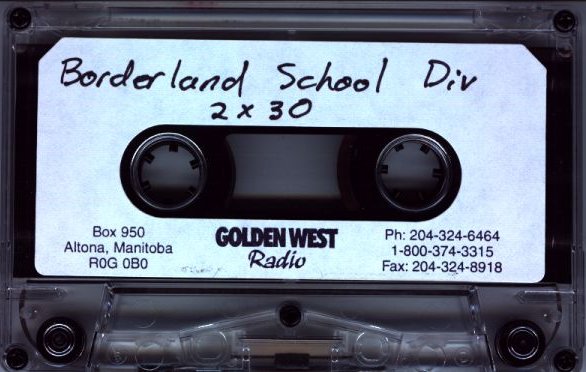

I was really, really hoping that this was a recording of school children singing like seagulls being put through a meat grinder. Turns out it's actually two radio commercials urging you to put your children into the Borderland school division, where your children will get the essential education required to live in Altona (including courses on tractor driving and safe sex with your cousins)

I'm mostly putting it here because nobody else will own this shit, and someone somewhere may find it interesting. Other than historical value, it's pretty boring stuff.

Listen to them here


Laughing sfx
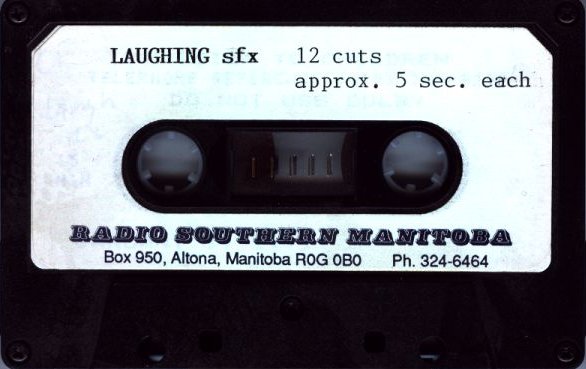

Ever wonder what people in the Christian Wheat Belt sound like when they're laughing at me for buying this junk? Well, look no further than this fun-filled cassette full (not really full) of the most fucked up laughing you'll ever hear in your life! Using only their laugh, see if you can guess the furry creature crawling around inside the ass of each person. It's a fun game for the whole family!

I really don't need to say any more about this tape. It speaks for itself...

Listen to Laughing


Computer Tape
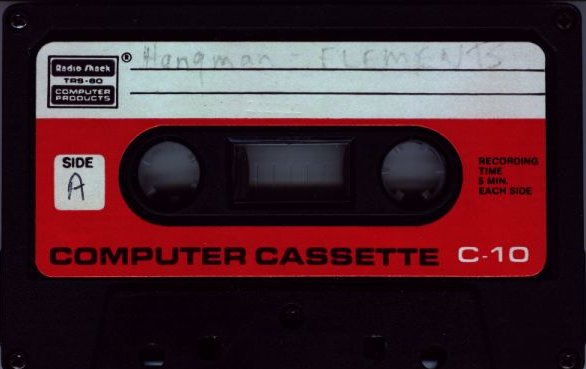


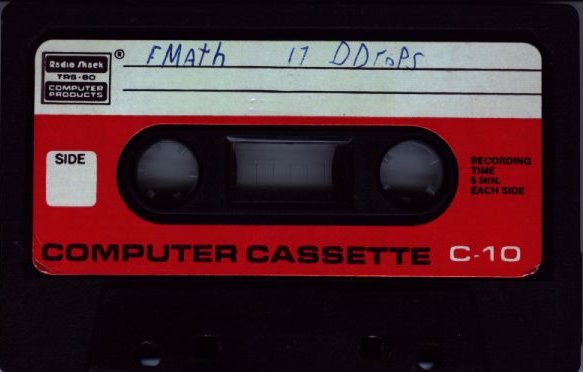
Computer tapes like this one can be such a frustrating find. Many computers in the 1980s used cassettes as a storage medium, so with a generically labelled one like this, you have no clue what system it's going to work on.

I gave it a listen to see what kind of noise was on it. Luckily, Side B sounded like a Commodore noise, so I dug out my old datasette and hooked it up to my Commodore 128 to see what I could find. Unfortunately, the program gives a "Load Error" and crashes when I run it. There could be a number of reasons  for this: My datasette needs a new belt, this program won't work in Commodore 64 mode on a Commodore 128 (which is what I was using, and I don't feel like digging around my garage for a real, live working Commodore 64), or the program is corrupted on the cassette.

Luckily, I found the program on the internet. It's a slightly different version, but it seems to be the same. The program (although a slightly different version) is available here if you desire to run it in a Commodore emulator.

Side A is a little more puzzling. The audio sounds like it was made by a TRS-80, but what model is beyond me (there's lots of them). I tried to load it on my CoCo but had no results. So unfortunately, this one remains a mystery. (Did I ever mention the desire I have to review my entire collection of classic computers?)

Speaking of classic computers...


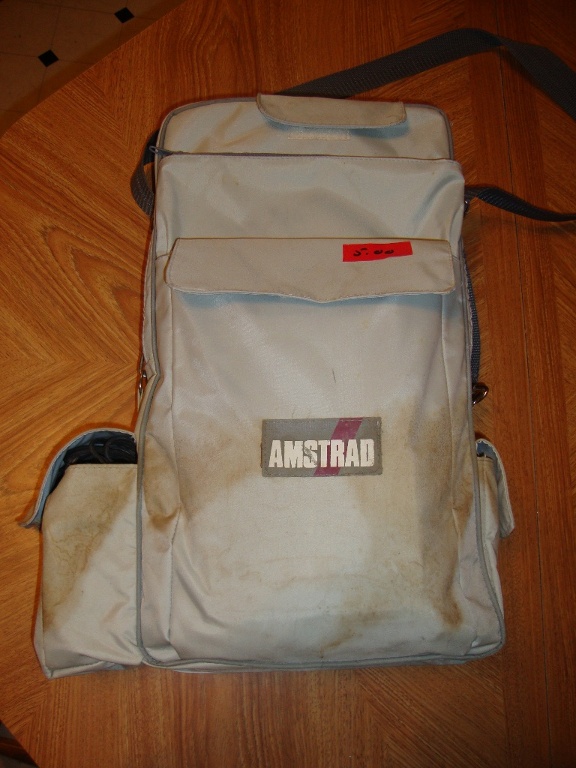
Amstrad PPC640 Computer
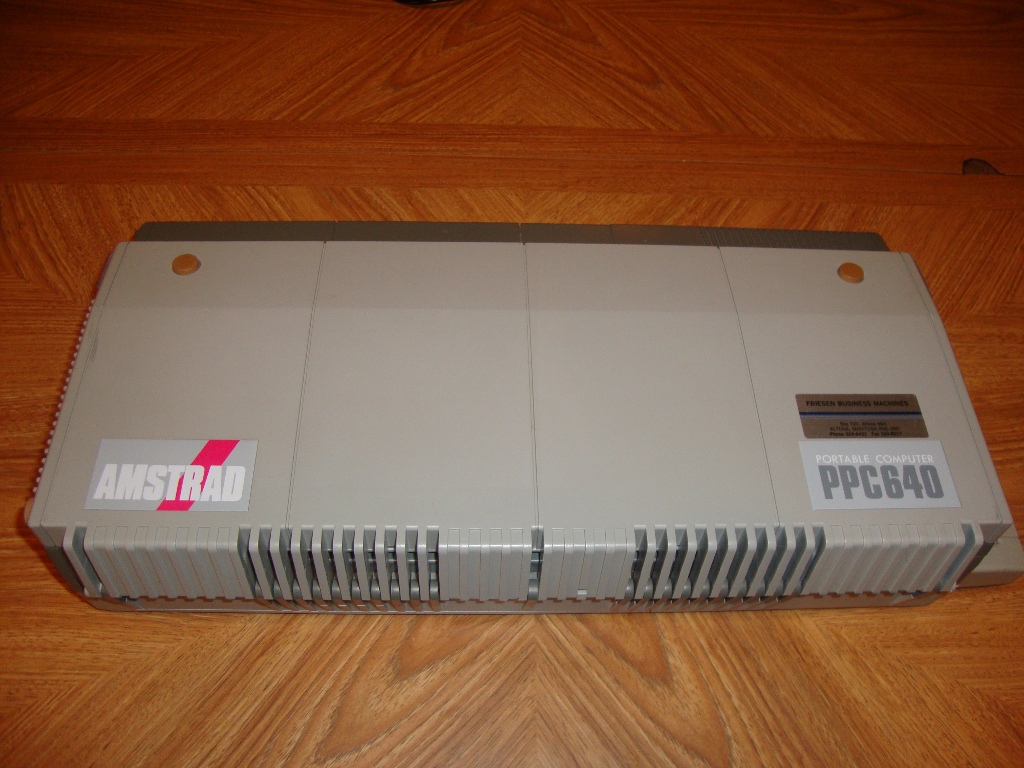


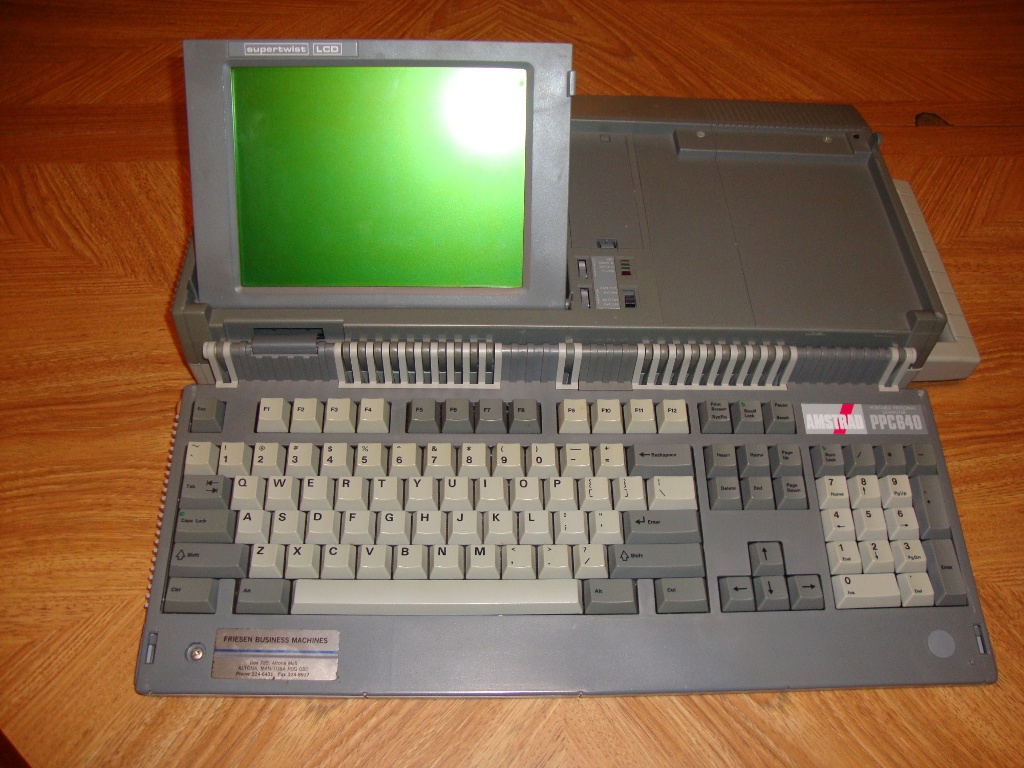
I'm such a sucker for old computers. I picked up this beauty for five bucks. It's an MS-DOS compatible machine that is almost as portable as your iphone, except you'll have a bitch of a time sliding this into your pocket.

This monster of a "laptop" can be powered by the AC adapter, 10 C-Cell batteries, or the cigarette lighter in your car (might wanna leave the engine running while using it). It sports a nice (HAHAHAHAHAHA) monochrome LCD screen which you can't see unless you angle it at the perfect direction facing the sun. Included are two nice (HAHAHAHAHAHA) 3 1/2" floppy drives, because we all like loading our precious data from those unreliable pieces of junk. This computer also sports a speedy (HAHAHAHAHAHA) 2400 baud modem, so you can get kicked off the internet on the go.

As a side note, there was nothing interesting on the floppies that were included.

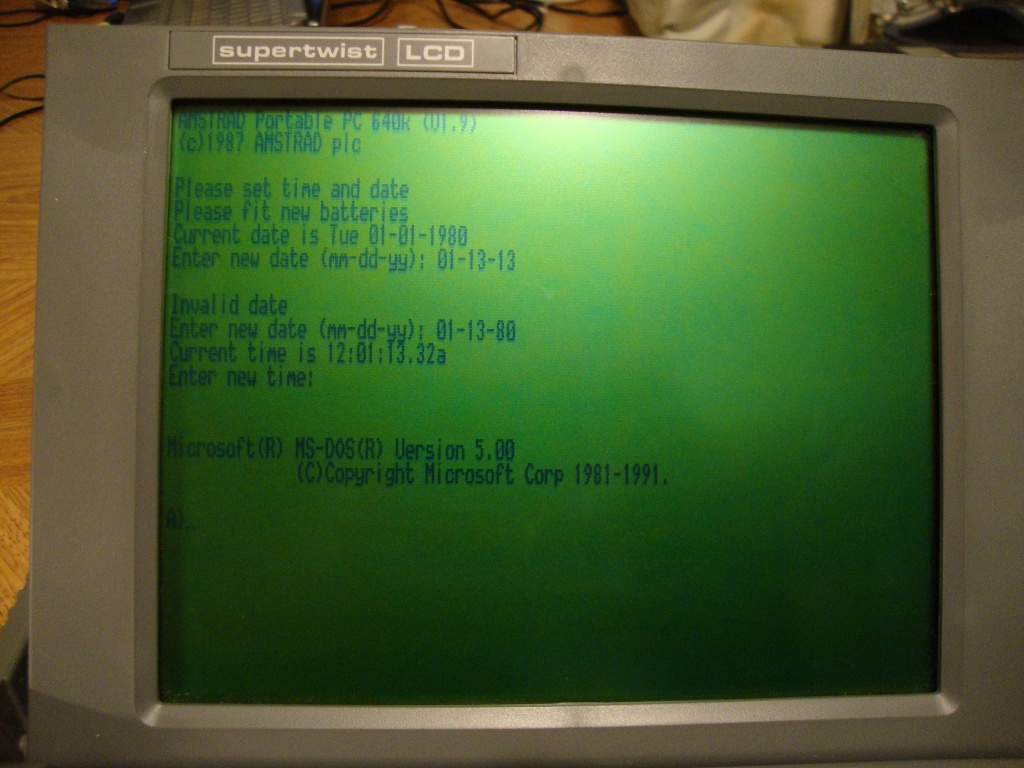
It's an interesting design for a computer and if the damned LCD was easier to read, it could actually be useful. However, if you want to use the correct date, you'll have to wait until the year 2080 because this computer is NOT Y2K compliant. Imagine the destruction this machine could cause in the year 2100!


And that's all for the Junq Tour of 2012. I'm currently preparing to appear on Kent Davies' "Amateur Hour" either this coming Wednesday, or next Wednesday, and we're going to go over the best of the Junq Tour (or the worst if you're a mean person making fun of these hard-working musicians). Apologies for the short notice, but I'll update this space in the next day or two, letting you know when I'm appearing.

EDIT: I'll be on this Wednesday at 5:00pm. That station again is 95.9 FM - Winnipeg. Be there!

Wednesday, November 9, 2011

Junq Tour 2011: Steinbach

Steinbach is a pretty big town full of Mennonites. Understandably, the thrift store was LOADED with Christian stuff. I really didn't need to be walking out with an armful of crap that wasn't worthy of being posted, so I had to choose my items wisely. Choosing bad Christian items wisely isn't easy because pretty much everything looked terrible. Therefore, I had to choose items that were excessively terrible. Here's what I got:

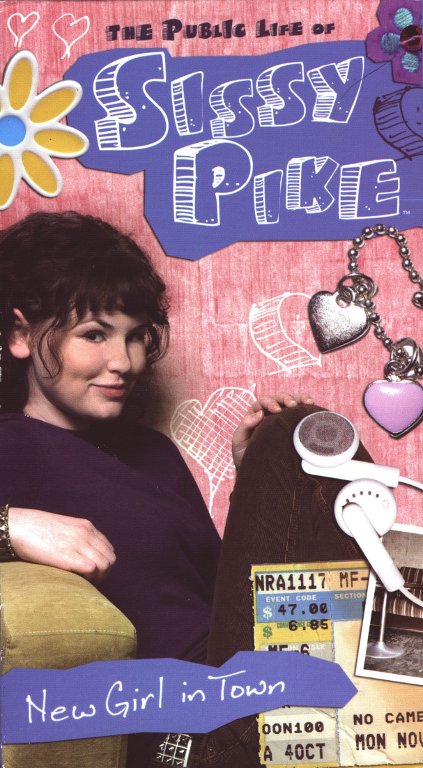
Video: The Public Life of Sissy Pike


I don't know what I was expecting with this video. Her name should be "Sissy Puke" because I was doing plenty of that after I finished watching this tape. The text "Do not induce vomiting" should have been splashed on the back of the box instead of "A look into the drama of a teen girl's life!" I was hoping she would become a crack dealer or get anal fucked by the pastor or something (ANYTHING) remotely interesting. The truth is, there's no real plot and the entire video consists of petty, pointless bickering amongst teenage girls. Well, except for Miss Puke here. She's a good little pastor's daughter.

There were two boys she could have fucked in this video. The first was a boy who kept coming to the door for absolutely no reason whatsoever. Early in the video, it's made understood that he has a boner for Sissy and is going to be a major player in the drama. He only appears briefly two more times after his initial appearance which made me wonder what the goddam point was for his existence.

The second boy was this kid in her youth group. He hid his bulging penis quite well throughout this movie, and then completely dropped off the radar. There was a lot of off-screen premature ejaculation to be had while this thing was filmed, and it would have made better content than the corny piss-fest that dominated the duration of this shitty VHS tape.

I've forever lost this hour out of my life, and now YOU have to hear me bitch and whine about it because I bought this shit to entertain YOU. I work so bloody hard, screening this crap for YOUR enjoyment. Meanwhile, I'm getting older and that flat spot on my forehead is getting flatter from banging it against my coffee table, watching these retarded Christian videos. I blame Jesus for this lost time. If he didn't influence the assholes who made this video, I'd be reviewing something cool.


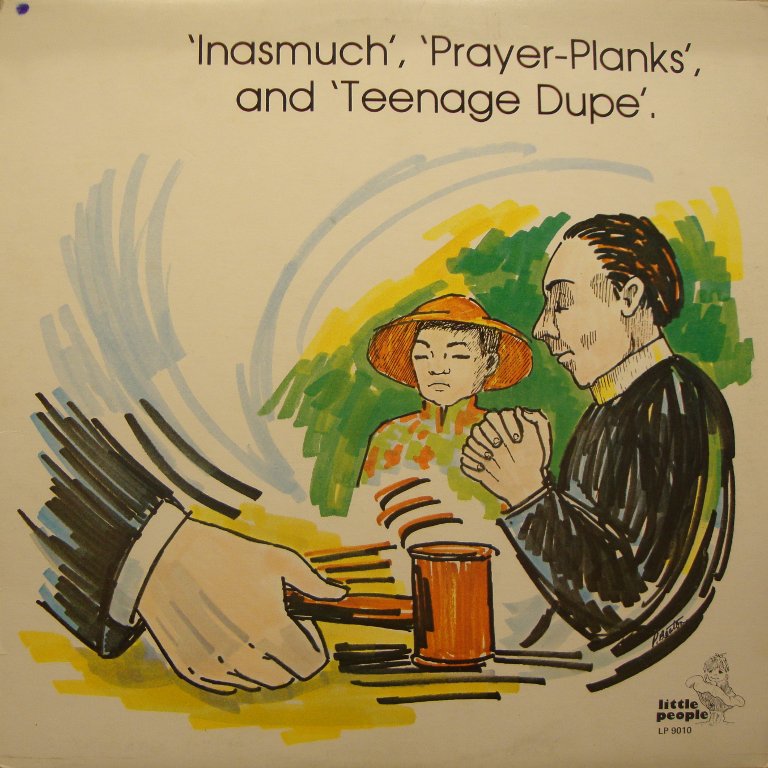
All The Kids: Stories for All The Family


Moving on, I can cheerfully say that this is a great record! It has three stories on it, each meant to teach children valuable life lessons. Here's the quote from the back of the record:

"All the Kids" is a family album designed for enjoyment by all the kids and their moms and dad, too. Professional performers dramatize the action, and each story draws from the problems and adventures of boys and girls in real life. This true-to-life action, together with imaginative sound effects and music, is a combination sure to keep even the liveliest youngsters close to the record player for many hours of happy listening.

Considering that the album isn't even an hour long, I'm guessing the guy who wrote that had no clue what the fuck he was talking about. The voice acting is atrocious, the dramatic 1950s music induces black & while hallucinations, and the stories are laughably retarded. The sound effect used for footsteps is identical to the noise of banging a rock on the kitchen table. Here's a brief summary of what we've got here:

1) Inasmuch
This is a story about a dead mom who's husband becomes a drunk, starves his children, and the happy ending has the children going to live with their estranged aunt while their father is left to rot in the gutter. (clip here)

2) Prayer-Planks
I have no clue what this is about because I was too busy laughing at the terrible British and Japanese accents. (clip here)

3) Teenage Dupe
Much to this emotionally tormented mother's grief, her 20 year old son gets thrown into jail for ripping off his employer. (clip here)

If your idea of fun is giving your kids nightmares, I've taken the liberty of digitizing the whole thing. Please use the comments section to tell me how this record has made them victims of their bad dreams.

Download the entire thing here!

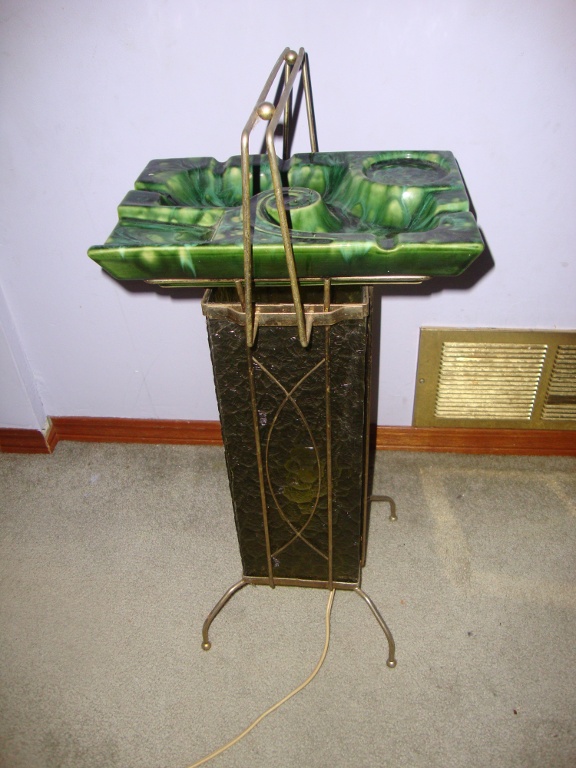
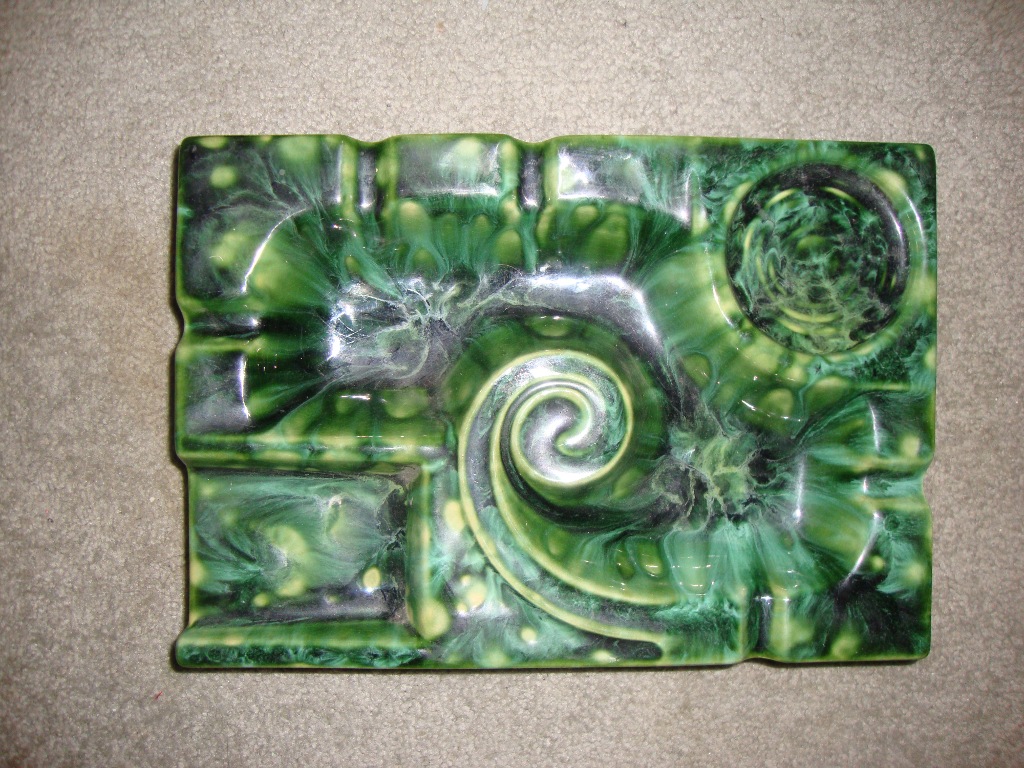
Ashtray Lamp


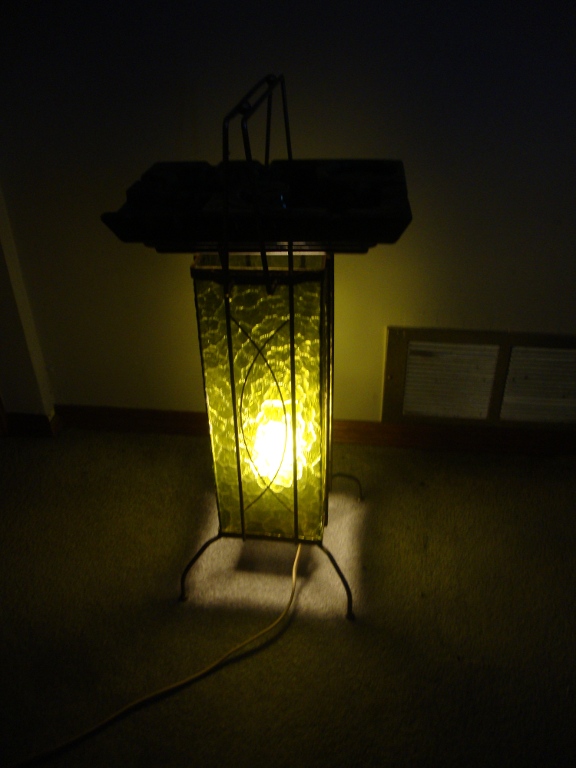
This is extremely cool! I paid a whole $4 for this item. After a bit of research, I found out that it was manufactured by Beauceware sometime around 1963.

The ashtray part has two extra compartments: one for your cigarettes, and one for your beer.

And here it is, happily lighting up a room.

Now, I'm off to learn how to smoke. Hey, I gotta take it for a test drive!

Friday, September 2, 2011

X-rated BBS Ads


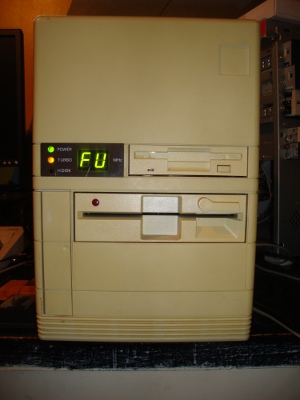
Here's another computer I scrounged up. It's a cute yet ugly little 386. Yes, I modified the display to show "FU". This computer has Windows 3.1 on it along with many DOS applications, one of which was a .gif image viewer. I used this piece of software to view the many x-rated .gif files that were stored on this computer.

There's quite a few interesting things about this batch of porn I found. First of all, the date stamps are from 1993. Second, the few that have copyright years noted on them are from before 1993. Third, they're all in color. Fourth, they all have BBS ads added into the image (a BBS (Bulletin Board System) was a computer system people could dial into and download files, post messages, and play 'door games' such as "Legend of the Red Dragon", all of which predated the popularity of the Internet). The BBS owners likely put their ads onto these pictures to prevent other BBSes from stealing them for their own, and to help promote their boards.

Computer image scanners didn't really appear until the early-to-mid 90s, and even so, the affordable ones were initially black and white handheld pieces of junk. The people who scanned these images either had a shitload of money to spend on scanning equipment, or they had access to a color image scanner belonging to a professional business.

Even color PC monitors weren't in existence for very long before these images were scanned. I clearly recall using Windows 3.11 on a 286 with a monochrome monitor.

First, the warnings...
THESE IMAGES ARE NOT SUITABLE FOR WORK!!!
THESE IMAGES ARE NOT SUITABLE FOR THOSE UNDER 18 YEARS OF AGE!!!


And now, feel free to enjoy these nifty-looking BBS ads:


The Dirty Hacker BBS
Electric Blue BBS
The McHenry BBS
Rusty Eddie's BBS
The Taste BBS
Windy City / TomCatPix BBS

If you want to download all of them (like the guy in the comment section), click here!
Monday, August 1, 2011

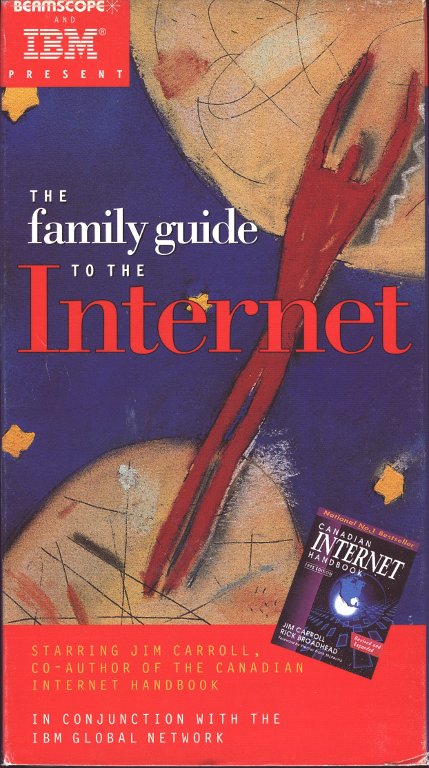
Video: The Family Guide to the Internet

I understand that many people out there have absolutely no clue on how to get on the internet. Well luckily, IBM put out a very lovely video (with shit-tastic acting) on how easy it really is to get on the internet!


This video shows the Newbie family learning about the ins and outs of the internet. The fact that these guys have the last name "Newbie" is fucking stupid, and the video covers fast modems, flaming, and Grandpa Newbie's Taffy. I absolutely hate taffy. Grandpa Newbie can suck it.

On the plus side, these guys aren't using Windows to get on the internet. They're using IBM's operating system OS/2. To be honest, I was much happier when all our bank machines were running OS/2. They crashed much less, and they were much faster at reading the bank card and giving us our money. Too bad IBM abandoned OS/2 and left it to die.

So anyway, if you've been having problems getting onto the internet, then this video is for you!

(Apologies for my bad editing. Since I upgraded, I need to use a different video editor that kinda sucks)


Wednesday, October 20, 2010

Junq Tour 2010: Swan River

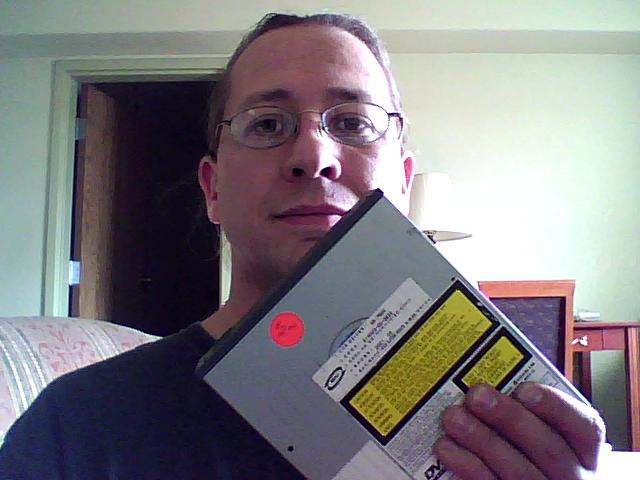
This week, I'm in Swan River. I was pretty unhappy when I was informed that the local thrift store had been shut down. I figured that the week would be full of dullness. However, I was pretty much wrong. I've had quite a bit of fun here so far! It all started when I saw what I had for a TV in my hotel room. It's a big 32" LCD TV which has a VGA input on the back. On this trip, I brought along my many-times-hacked external DVD drive. You may remember that at one point I converted it into an external hard drive. Before I packed, I decided that I wanted to watch some DVDs while on this trip, so I converted it yet again.

Now, nothing would be greater than watching the DVDs on this 32" screen, so I went scouting for a place to buy a VGA cable. I stumbled upon a little computer store who had a table of shit on sale for dirt cheap. I found a VGA cable for $1, and went back to my room to happily watch my DVDs.


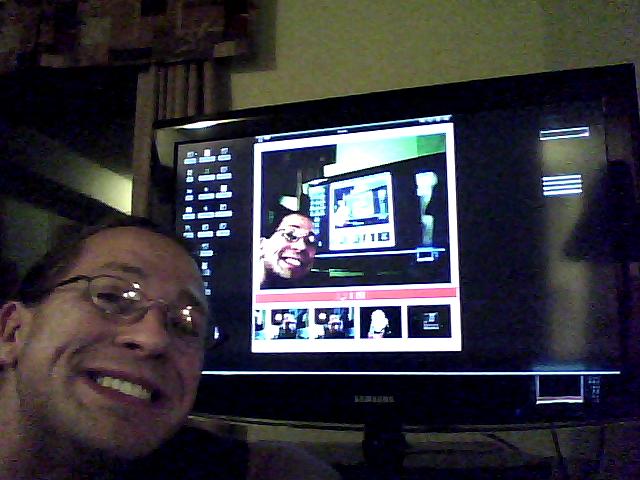
Here I am, playing with my netbook hooked up to the TV. This is a luxury for me since all the TVs I have at home are CRTs. I'm too cheap and poor to buy my own, and I usually shop for my TVs behind the evil computer recycling depot.


Anyway, the next day my DVD drive decided it didn't like me any more and went kaput. Remembering the table full of junk at the computer store, I went back and picked up a new DVD drive for $2.


While I was there, I decided to spend even more money, and here's some of the neat stuff I bought BRAND NEW for next to nothing...


More Cables


Here's what I got: a nice audio cable to connect my computer to a stereo amplifier. I also got a S-Video to Composite cable, and a DIN to PS/2 converter so I can plug an old-ass keyboard into my modern computer. Each of these were $1 each. I can't even make cables for that cheap.


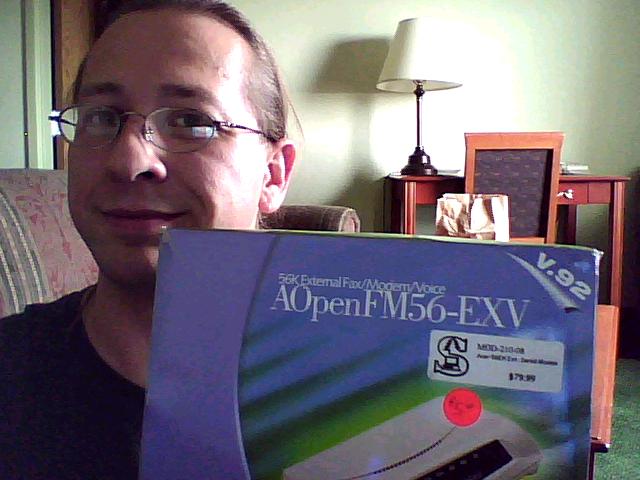
56K Fax/Voice modem

Original Price: $79.99
Sale Price: $5.00

Why the hell would I buy such an outdated piece of equipment? Simple. It's a voice modem. You can do more than get dialup internet with this thing. Install some software on an old computer, pack it full of numbers of businesses that keep filling my answering machine with pre-recorded messages, and call them with my OWN pre-recorded message! What else is a land line good for these days? Not much.


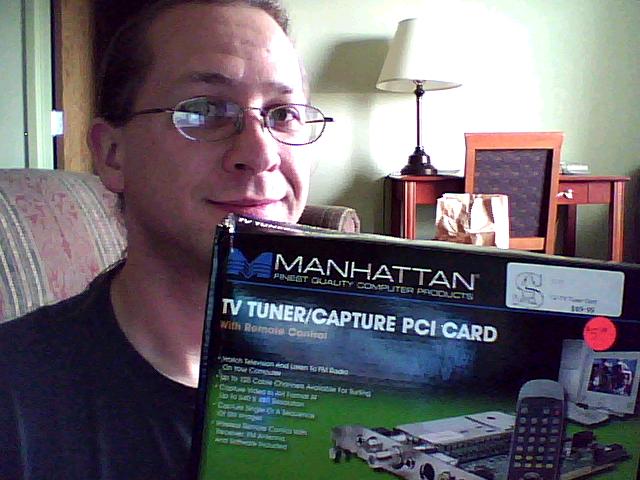
TV Tuner / Capture Card

Original Price: $69.99
Sale Price: $5.00

Just what I need, another computer to record video. I'm hoping that there isn't any built in copy protection on this card. The shitty fucking ATI card I have has really been pissing me off with it's screen-blanking copy protection, even when I'm recording something that isn't copy-protected (such as Commodore 64 video). For five bucks, I can't go wrong. Worse comes to worse, I'll use it to hook up the CED player to the computer in my bedroom.

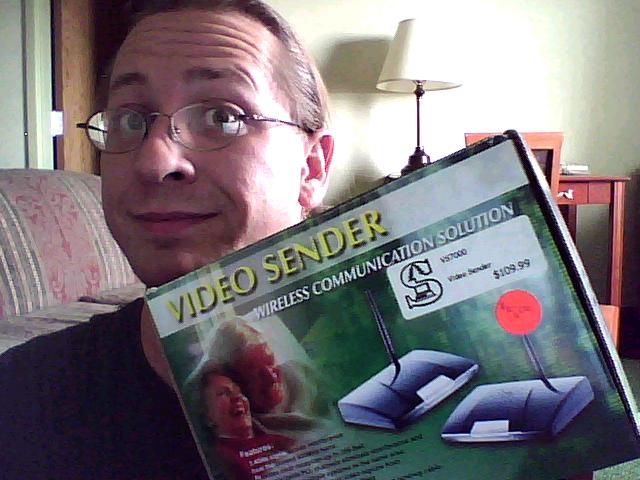
Video Sender

Original Price: $109.99
Sale Price: $5.00

This device is used to send wireless video signals from a source to a destination. I've got two potential uses for this... About a month ago, I came across a FREE working video surveillance system. My biggest problem has been how I'm going to set it all up with where I want to put my camera. This would nicely solve the dilemma of having the camera mounted on the garage, and the recorder sitting in the house.

The other idea I have for it is to set up a video rack in the basement (mainly for transferring videos to DVD) and being able to watch them in my living room.

All this stuff cost me just a little over $20. The best part is most of this stuff is new! Now excuse me while I go play with my new toys.

Sunday, October 3, 2010

Junq Tour 2010: Ashern

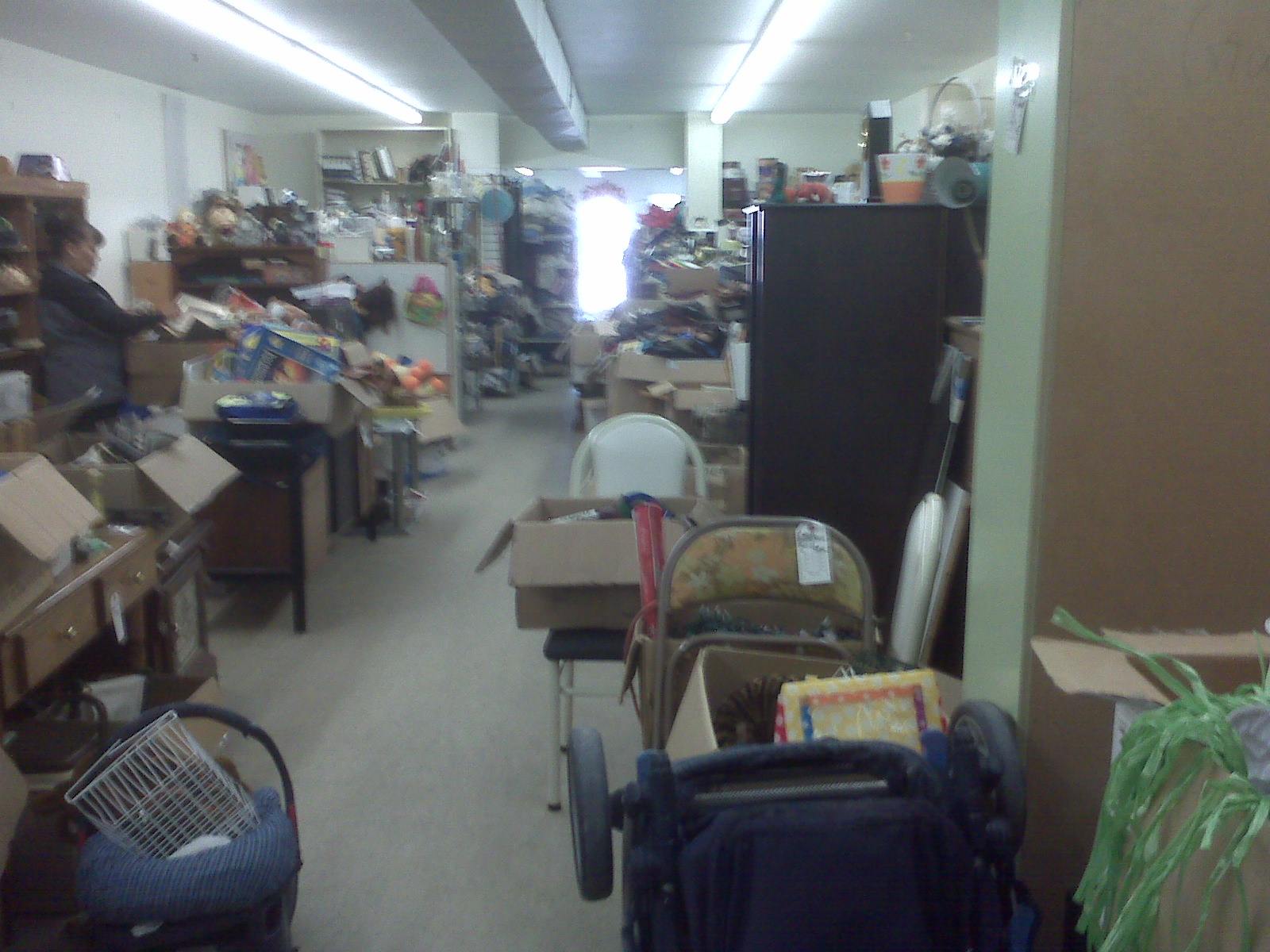
Just take a look at this thrift store:


Walls and piles full of junk. This picture doesn't even do justice for how much crap is in this store. It's really a shame that this is the best thing about Ashern. Everything else pretty much sucks. Anyway, here's what I found...

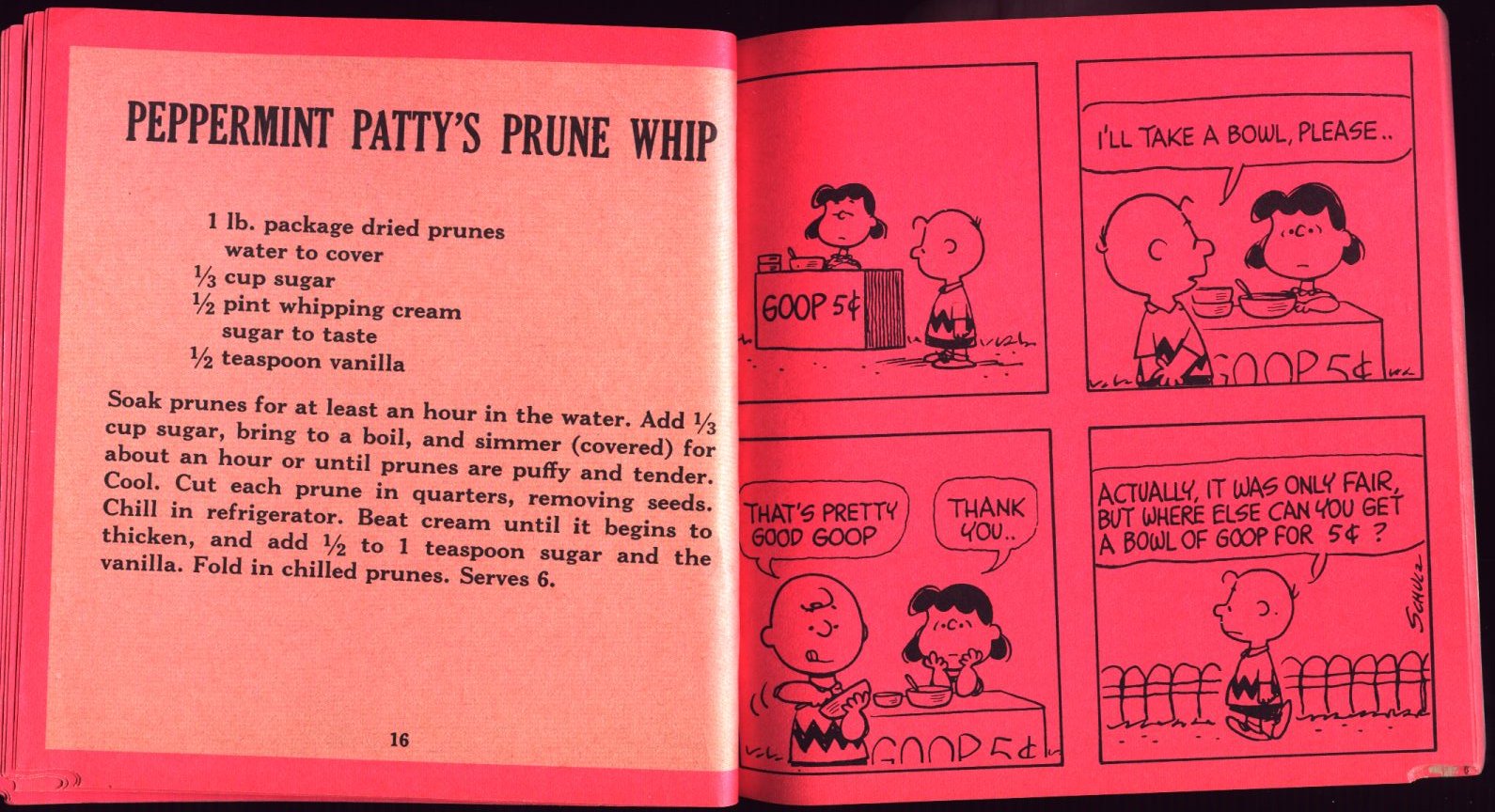
Peanuts Cook Book (1974)


This is a weird one. It's got a bunch of Peanuts comics on one page, and some fairly basic recipes on the other page. What can you cook out of this? Well, there's Dog Food, A Cheese & Tomato Sandwich, Lemonade, Carrots, Cinnamon Toast, and a few others. Not sure why they put this one in, since I doubt many kids would like Prunes:


I dare all of you out there to make this and tell me it's tasty.


Jake Chenier - Pizza Paradise


Jake Chenier may look like Raffi, but he sounds like a man who is nicer than Mr. Rogers. He's got a very happy, non-threatening voice. The songs on this tape are dumb enough to classify it as a children's album. I must admit, I actually do like the acapella "Banana Split" song. Thank god the entire album wasn't full of songs about pizza (only two are). But this song is kinda lame. It's about a dumbass who keeps trying to get a pizza from the same place. Every time he places an order, the entire staff fucks off for a vacation.

Listen to "Pizza, My Heart's Delight"


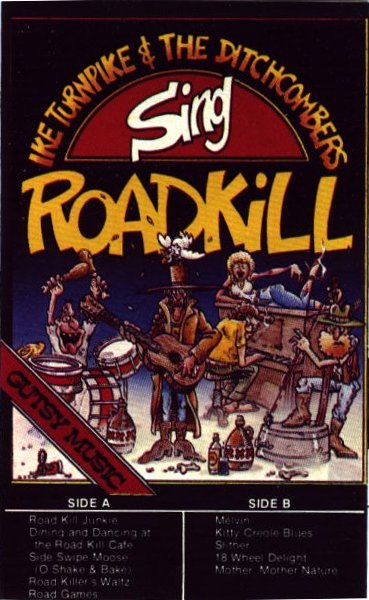
Ike Turnpike & The Ditchcombers sing Roadkill


I really wasn't sure what to think of an album containing songs such as "Road Kill Junkie" and "Dining and Dancing at the Road Kill Cafe". I was hoping it would be funny... Like REALLY REALLY hoping that it would be funny.

It's not. It's stupid. How stupid is it? The entire ALBUM is about eating roadkill, whether it be freshly killed by an 18 wheeler, or rotting in the ditch for the last week. I never for the life of me would have thought ANYBODY could write an entire album about roadkill, but here it is. How in bloody hell did they get a record deal? Oh wait, the record label is located in Winnipeg. We've been pretty desperate to find the next Guess Who, haven't we?

Here's the song "Road Killer's Waltz"


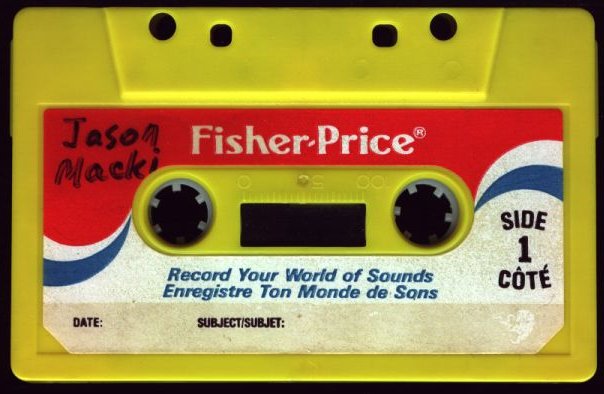
Fisher Price Tape (circa 1985)


This mostly has some 80s music recorded on it and side 2 is blank. However, the end of side 1 contained something quite interesting. It sounds like a couple of teenagers playing with a circuit-bent Speak n' Spell. It's pretty funny listening to the toy spew out random crap while these kids try to interpret what it's doing.

Listen here!
If you've never seen a Speak n' Spell (let alone a circuit-bent one), you're in luck. Someone created an online simulation of a circuit-bent Speak n' Read so you can make your own crazy noises! Click here to play with it!


And now, for the coolest thing I found....


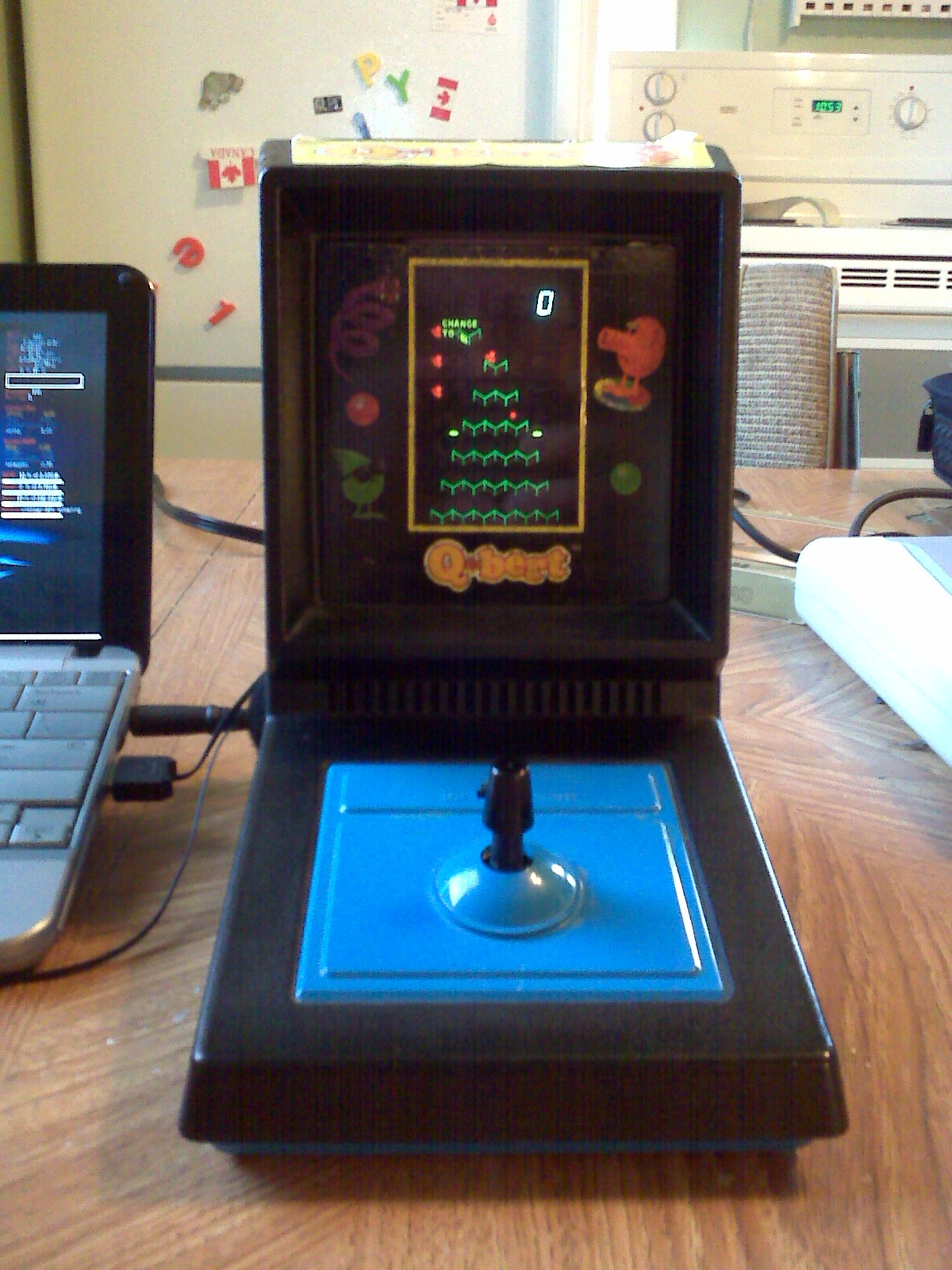
A Q-Bert Mini-Arcade!
This thing is the ONLY way portable gaming should be done! Four C Cells, a joystick, and a vacuum fluorescent display! Q-bert's body consists of a pair of legs and a ball for a head. The legs are also used to simulate Wrong Way / Ugg. Coily (the snake) has his own image.
How the hell do I know all their names? I owned the incredibly crappy Q-Bert board game at one point in my life which had all their names written on a die to decide who moves. The board game version was dreadfully awful.

Anyway, this Mini-Arcade works 100% and doesn't have any rust in the battery compartment. It's also a load of fun to play! There seem to be a couple of "features" missing that are present in the console version; Slick (that little green guy who changes all the colors back) doesn't make an appearance, and the green ball doesn't show up in any way, shape, or form.

I was going to make a video of the thing working, but someone else already did that. I'm lazy, so here's their video of the little machine working. The guy playing is either not very good, or he just doesn't give a shit.


Next on the Junq Tour? I don't know. It might be the thrift store in Lundar. It depends on how good/bad/stupid the one item I picked up is.

Sunday, February 14, 2010

The Modern Computer

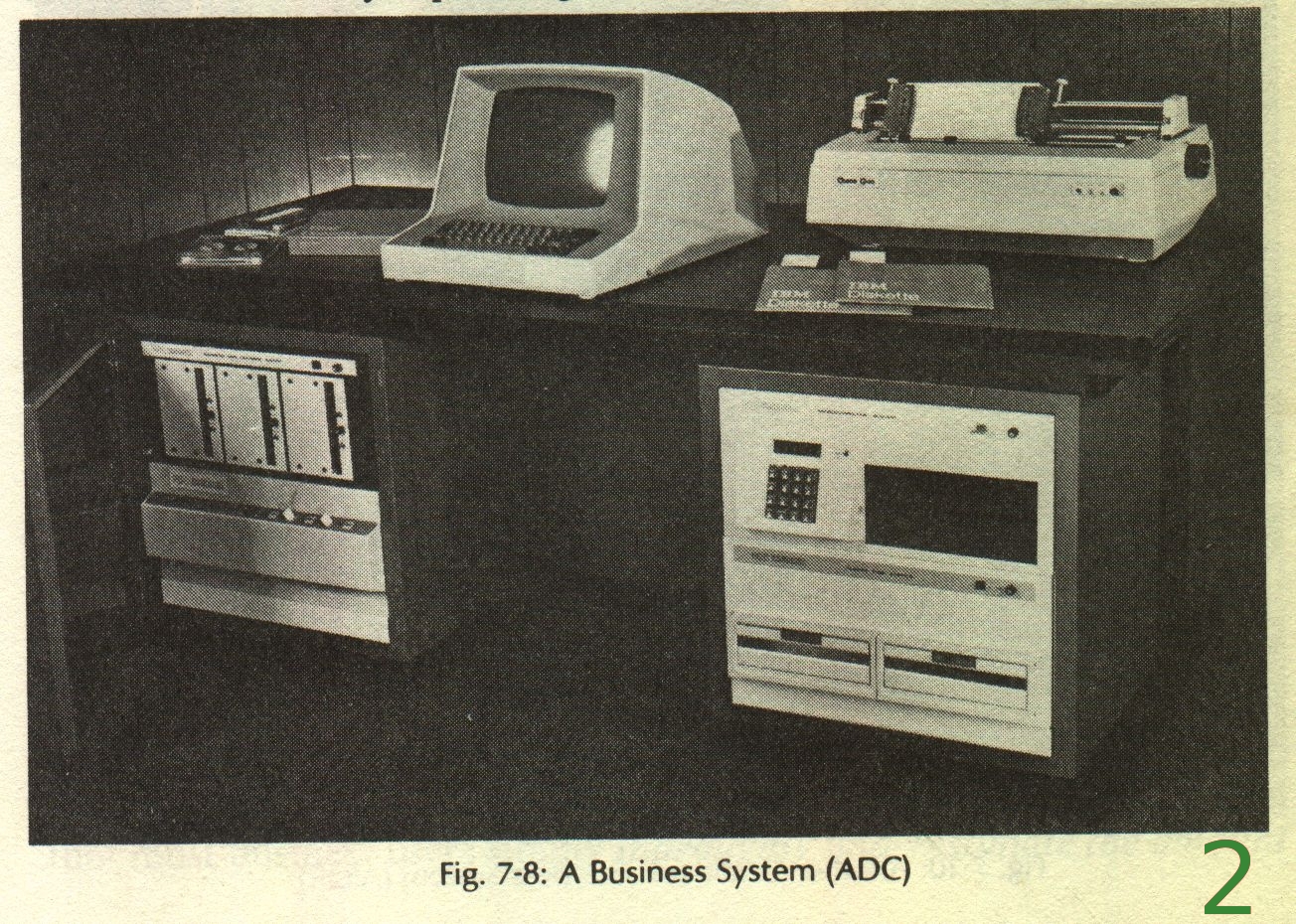
I'm addicted to owning ancient computer books. I've been addicted to them ever since they were new. With the exception of larger storage space, more RAM and faster speeds, the basic parts of a computer haven't changed all that much. Below are some scans from these old computer books, telling you about the main components of the computer you're using right now. Enjoy the pictures, the descriptions, and yes, the prices of computer hardware of yesteryear! This blog entry is a bit graphic intensive, so click read more to see the rest of the images.

Full Computer System:


...read more...

Friday, November 13, 2009

My Oldest Piece of Computer Hardware

I've been home sick most of the week, so I figured I'd kill some time by writing a new blog entry. What I'm about to show you is the largest, most useless thing I own, and I'm quite proud to own one. I've come across many ancient pieces of computer history in my time which included cylinder hard drives and magnetic tapes galore, but this item is quite special...

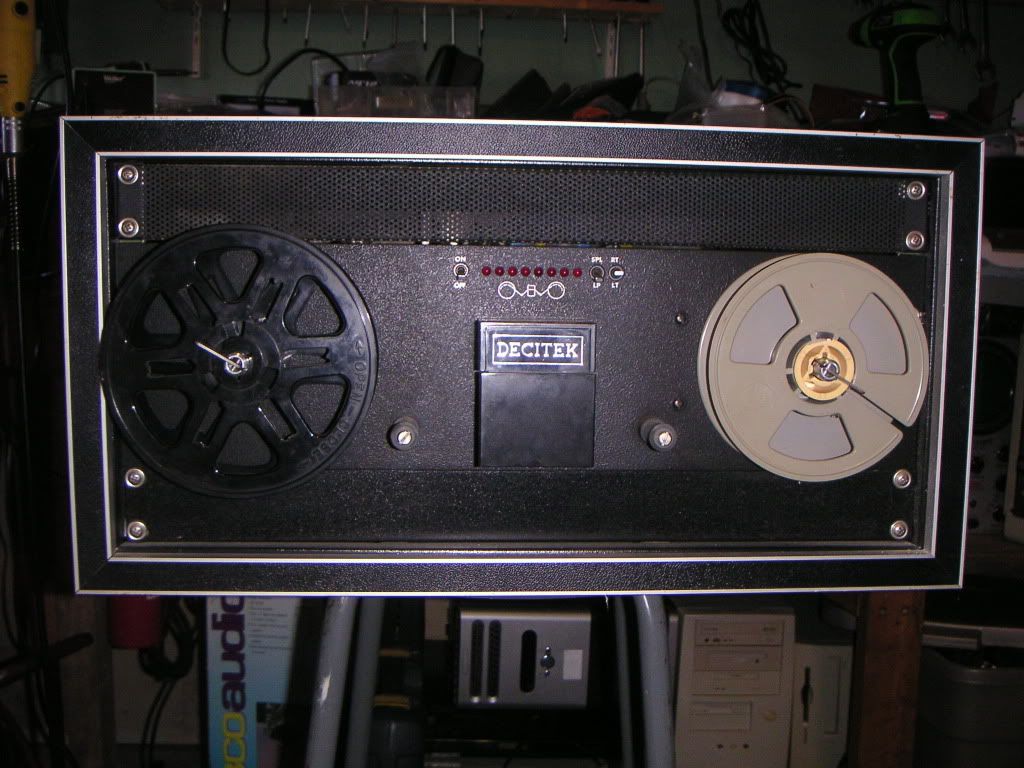
Behold!


It's a punched paper tape reader made by Decitek / OK Tool & Machine Corp. It measures 23" x 21" x 11" and weighs approximately one ton. This particular machine has 8 sensors for data reading, making it one of the more technologically advanced versions (HA HA HA). So, how the hell did I end up with this thing?

My previous workplace manufactured electronic circuit boards. They used this thing to control a wire wrap machine. Wire wrap went the way of the dodo back in the 1970s in favor of printed circuit boards. My workplace held onto this equipment because the boss didn't like to throw anything away. You should see the crap that collected in that place.

Not too long before I switched jobs, they did an extensive cleaning of the place. The paper tape reader along with a piece of the wire wrap machine were slated for the BFI bin. I happily threw the other piece of this machine into the dumpster, but I didn't have the heart to throw out the reader, so it ended up in the back of my truck (along with a few bags of pre-cut wire)

One of the reasons I didn't keep the entire machine is because it was incomplete, and the other piece of it was larger than the this thing. I also had no desire to keep a phenomenal amount of shit in my garage.


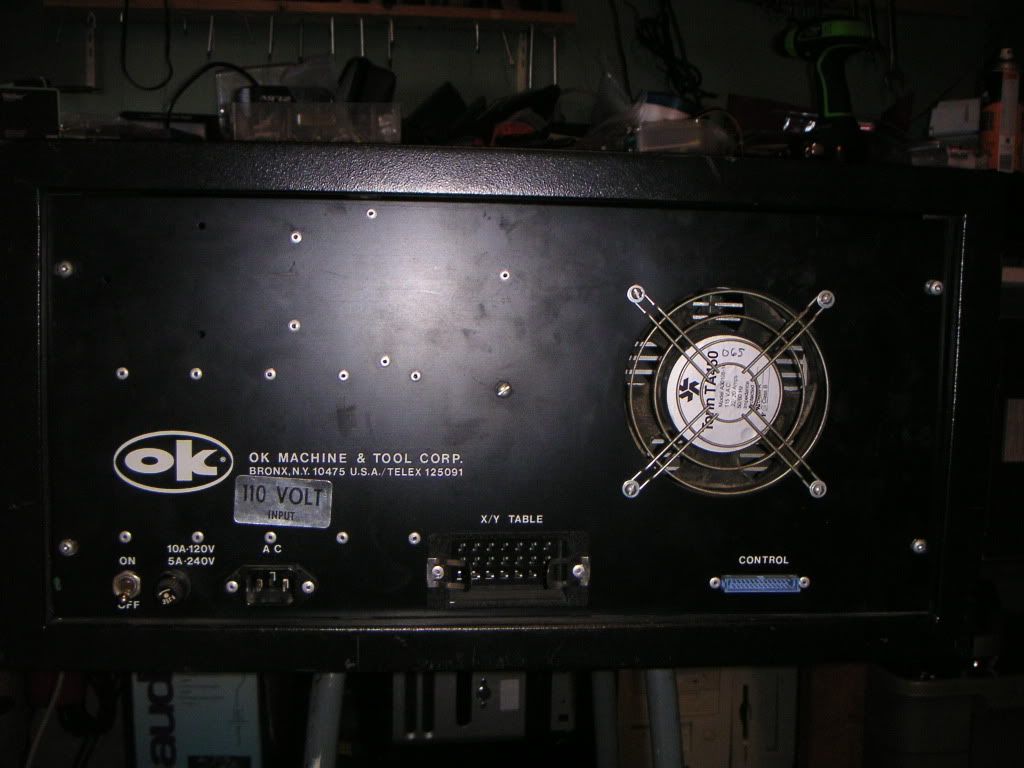
Here's the back of it. I believe that this is actually a rack mount reader put into a case along with a specially designed interface for the wire wrap application. To my dismay, the cables to connect this thing were nowhere to be found. When powered up, this thing makes a sound like nothing else I've ever heard. It sounds like.... well, like a computer lab from the 1970s.


When I peek through the vents on the top, I see a 25 pin male connector. I'm led to believe that it's an RS232 port, but without a paper tape (nor the desire to take this thing apart), I cannot prove this. It would be nice to have a paper tape to try the thing out, but they cost a small fortune on Ebay. Perhaps I'll run across some one day when I least expect it.

It's too bad I don't have the punching machine because I have a BASIC computer program in one of my old computer books that will write text on the tape:


Could you imagine installing Windows off paper tape? It would take months to do it, and probably hundreds of rolls of tape!

Sunday, August 16, 2009

My New Netbook


So, here's the little HP 2140 netbook I won from the "How Do You Linux" contest. Pretty cool, huh? Well, it wasn't all that cool when I first got it.

It came pre-installed with Suse Linux 11. I hadn't tried Suse in a while, so I figured I'd give it a whirl. I went to go install some of my most commonly used apps, and there was next to NOTHING in the repositories. The thing that drove me the most nuts was trying to use the clumsy interface of the Banshee music player. I wanted XMMS, so I went to try and find it, or at the very least, Audacious. I couldn't find either. In fact, Banshee was about the only thing you could get for a music player. Okay, well maybe I could get used to Banshee.

Next, I went to install Opera because I personally can't stand Firefox. Opera also wasn't available. I figured at the very least, I could install WINE and run both Opera and Winamp for Windows. Ha ha, no can do. I couldn't even get WINE.

Next step, wipe the entire hard drive and install Xubuntu 8.04. I've got the whole thing set up the way I want - Opera, XMMS, WINE, everything... except the E17 graphical desktop environment which I want installed so badly. They're aiming for an official release at Christmas (as opposed to the buggy alphas), so I'll wait until then to install it. Still, everything on this little netbook is functional.


Oh yeah, and the T-shirt... I figured I was going to get a black T-shirt with the green lizard (the Suse linux logo) and maybe something that said "Suse Linux 11". Hey, I may not like their version of Linux, but I do like their logo.

So, when I went to open the package that came in the mail containing my black T-shirt with the green lizard on it, I got a surprise...


Yup, that's the shirt. It's blindingly green with the words "Super Fucking Dork" splashed across the front.

Thanks Novell, for the Netbook.

I'm currently building a case to lug this thing around, made from an old tape recorder! It's going to be a hackfest, and I'll post plenty of pictures. Stay tuned...

Saturday, January 24, 2009

Songsmith is Stupid

Sorry about the lack of updates, but life gets busy sometimes.

So, Microsoft has this new piece of software out called "Songsmith". Basically, it will adjust the music to match the pitch of your voice. Sounds like a kids toy? Yeah probably, but I decided I wanted a couple of hours to fuck around with it.

The problem is getting to that "couple of hours". First, I primarily run Linux. Second, my Windows 2000 partition bluescreens about every hour or so. Third, it apparently requires Windows XP and higher to run. Fourth, the download comes as a .msi file instead of a simple .exe file. Fifth, it requires the .NET 3.0 framework. Sixth, it requires you to have Service Pack 2 installed. Therefore, achieving a simple couple of hours to play with a measley (100MB) piece of software is a challenge in itself. And people say that using Linux is too bloody difficult! The only reason Linux is so hard to use is that the geeks at the computer store install Windows for you! Microsoft products are also quite unfriendly to install, requiring one to babysit it because it will ask you questions throughout the install. At least I can browse the net while Ubuntu Linux installs. But enough bitching...

Anyway, I can't install Songsmith with WINE, I can't install it in Win2k, so I need to install XP on my spare computer, install the .NET 3.0 framework, SP2, and then install the 100MB file. Oh yeah, and it's only a demo copy which is crippled, causing me to wonder if all this pain is worth installing a piece of broken software simply to play with it. Oh well, I've done stupider things....

Songsmith's interface leaves something to be desired. What, I'm not sure, but it feels like an incredibly confusing kid's toy that took me about half an hour to figure out, yet the commercial boasts that it's easy to use.

When I click on the mixer button and try to change the nice Midi instruments into something else, the sound seems to fuck off whenever I select "electric guitar". The only way to get the sound back is to restart the program. In other words, it's your typical buggy Microsoft-ware.

So, was the result worth the time and pain of the installation? Check it out for yourself:


Songsmith sounds about as good as my Mom's Kawaii organ, manufactured in 1974 when Moog was the 'in thing'. As far as it being a musician's tool, it's fucking retarded. If you can't come up with your own ideas without a piece of kid's software, then you have no talent and shouldn't be writing songs.

Oh yeah, and thanks to Warner Fucking Music Group, This is my second attempt at doing one of these mashups. The original (Sherry by The Four Seasons) got nuked because the shit-heads at WMG decided they owned the copyright for this piece of shit I put together. WMG can suck a dick festering with genital herpes.

Wednesday, January 7, 2009

The Garage Jukebox (v3.0)


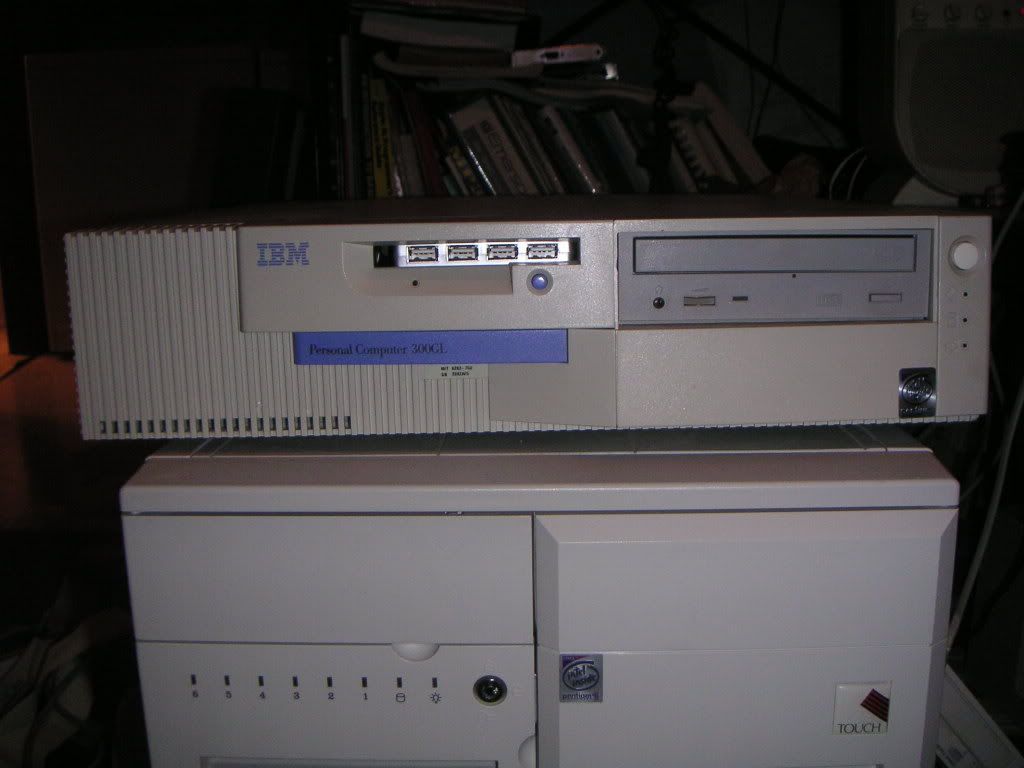
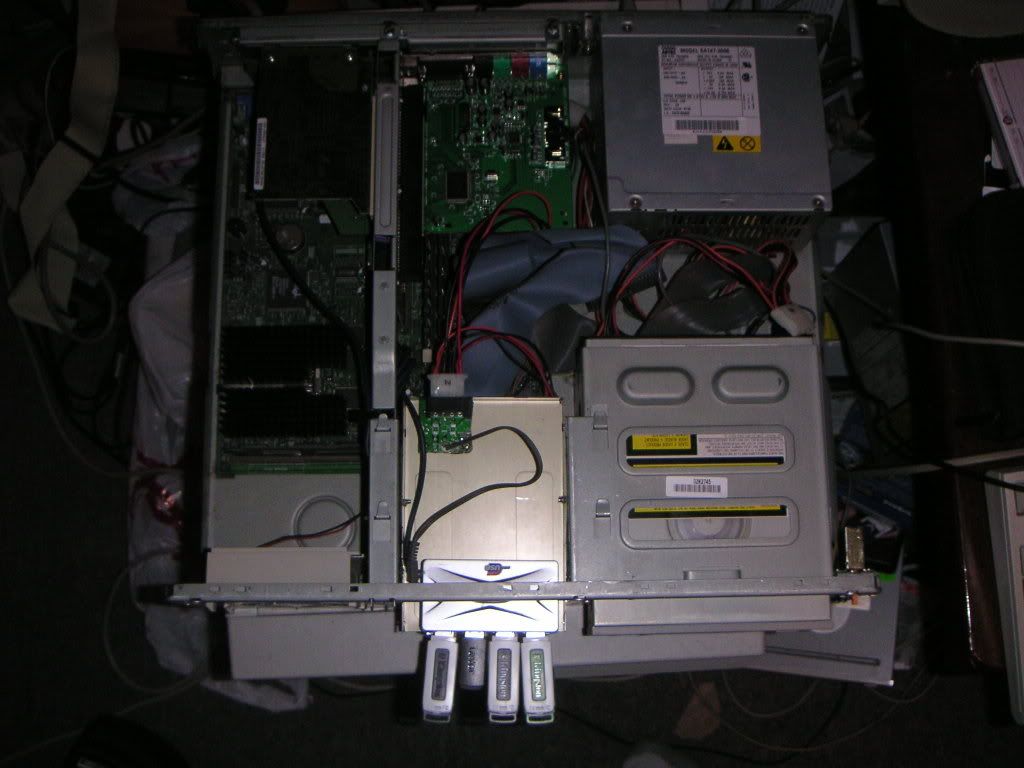
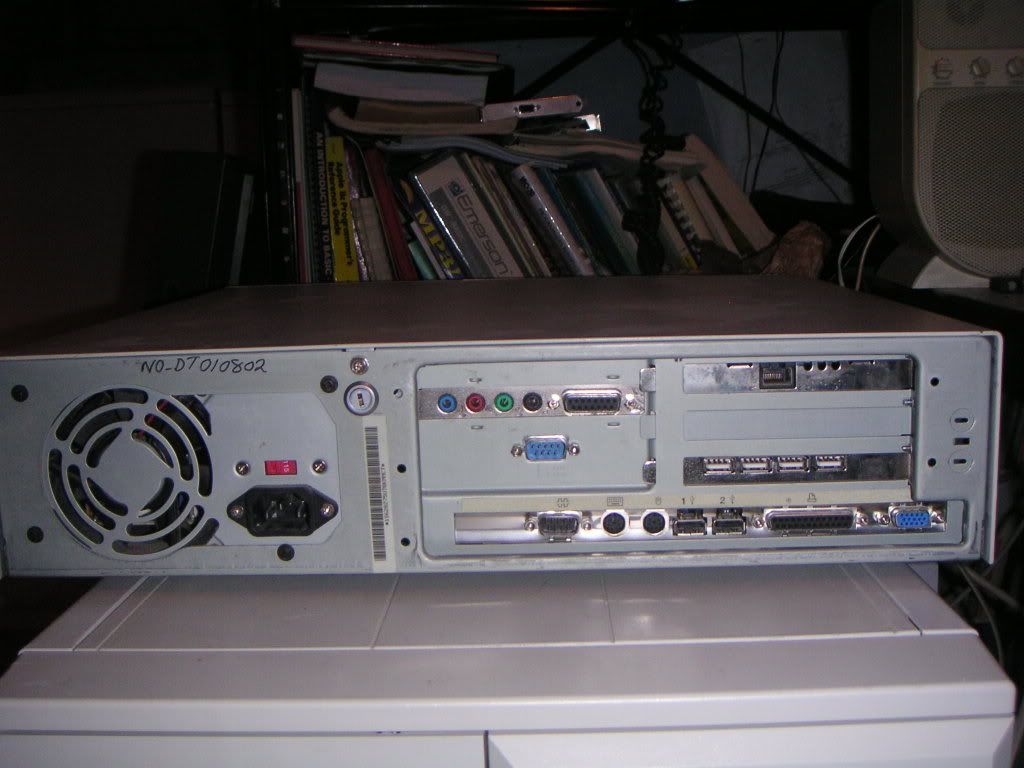
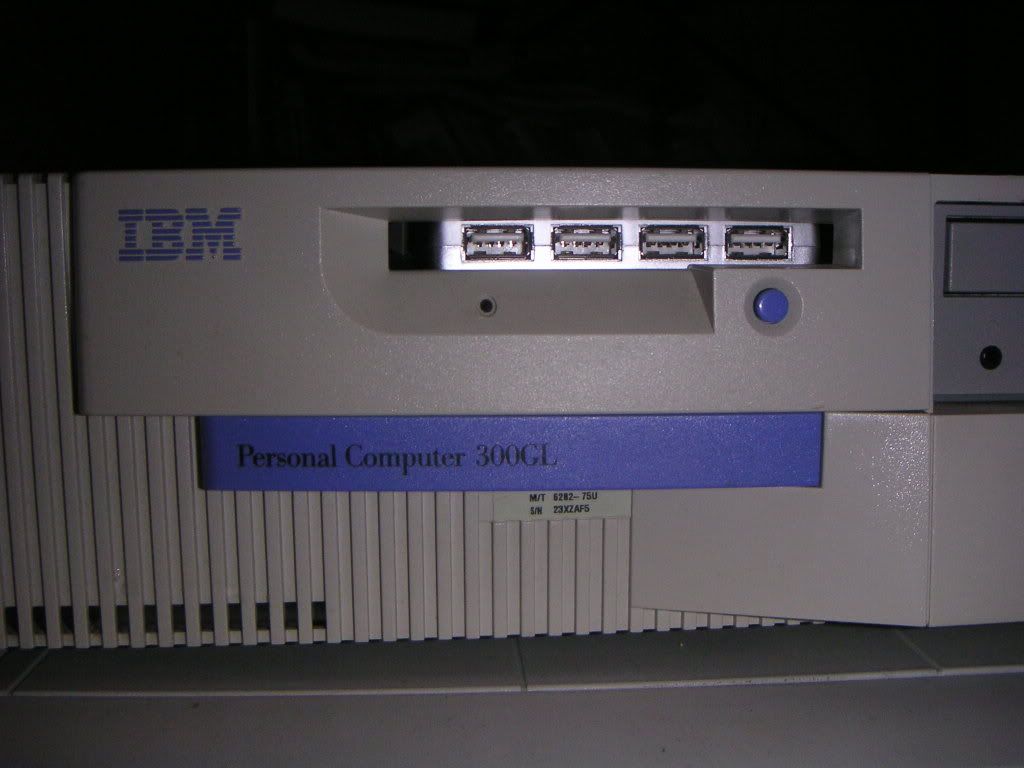
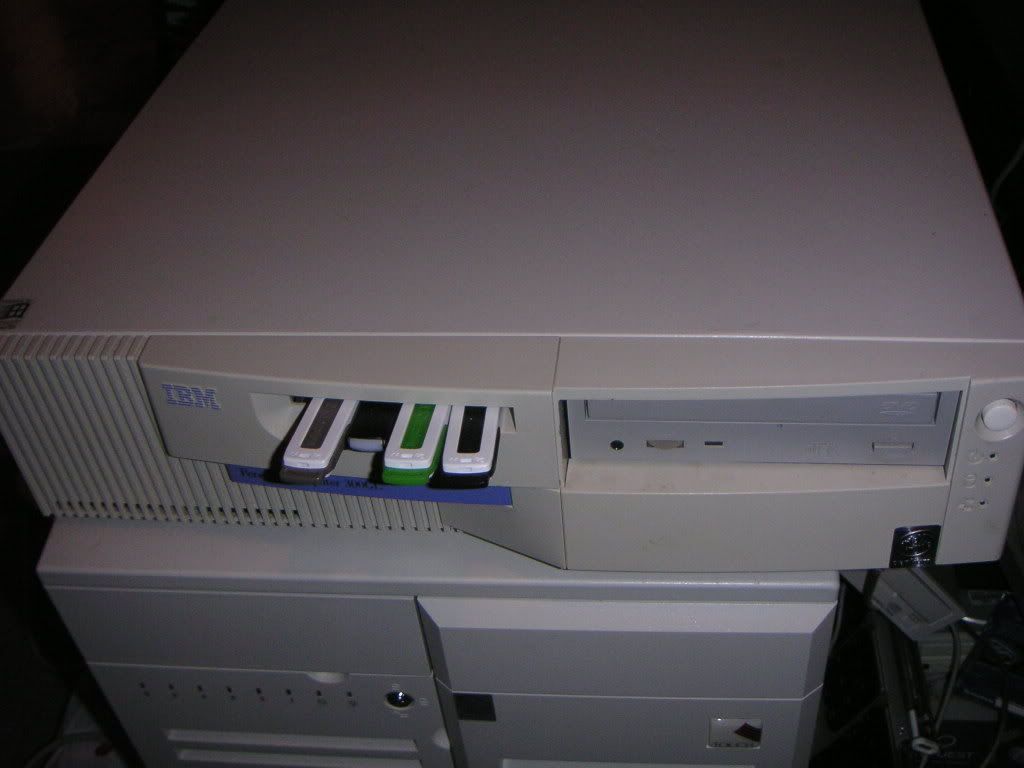
Yes! Version 3.0 of the Garage Jukebox has been built! So much for me waiting two years to build it. The thing is, I found the perfect PC to build it. It's an old IBM 300GL desktop. I've been wanting to reduce the size of the heavy, bulky, power-hungry mess that v2.x was. This version contains some nice upgrades and even a few downgrades. Here's the specs:

Pentium 199MHz (Faster by 66 MHz!)
64M RAM (Half of what the other machine had)
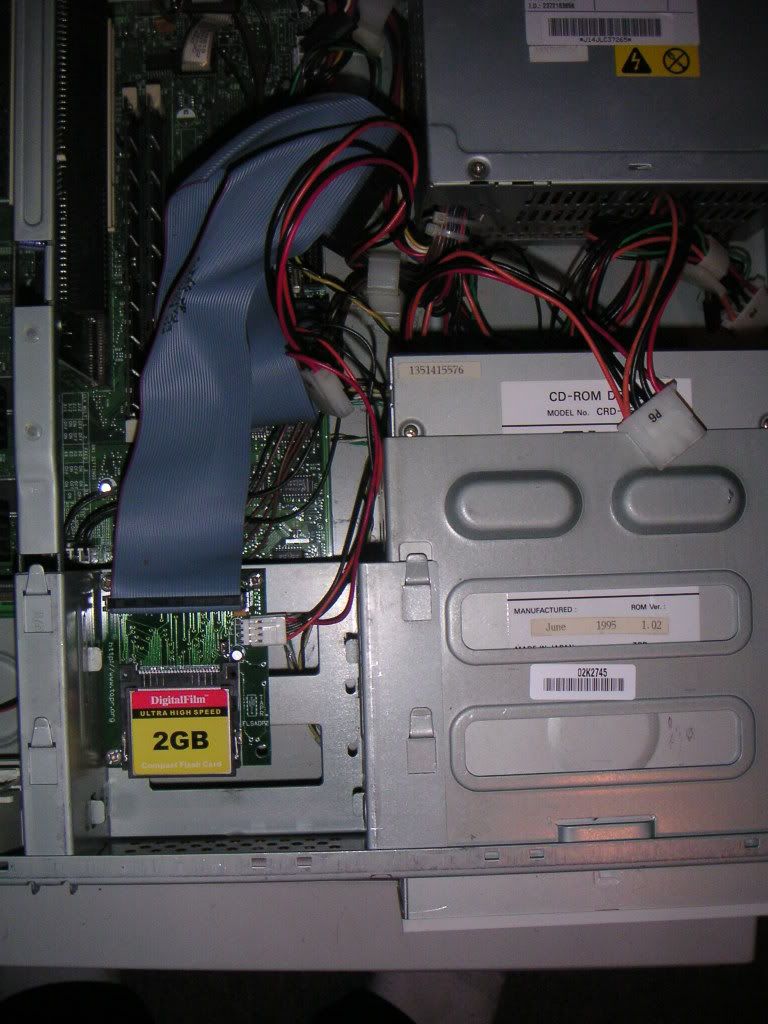
2 GB Compact Flash Card for Hard Drive (Bigger by .3G, no moving parts!)
1 DVD-ROM Drive (the old one had four)
USB 2.0 Card
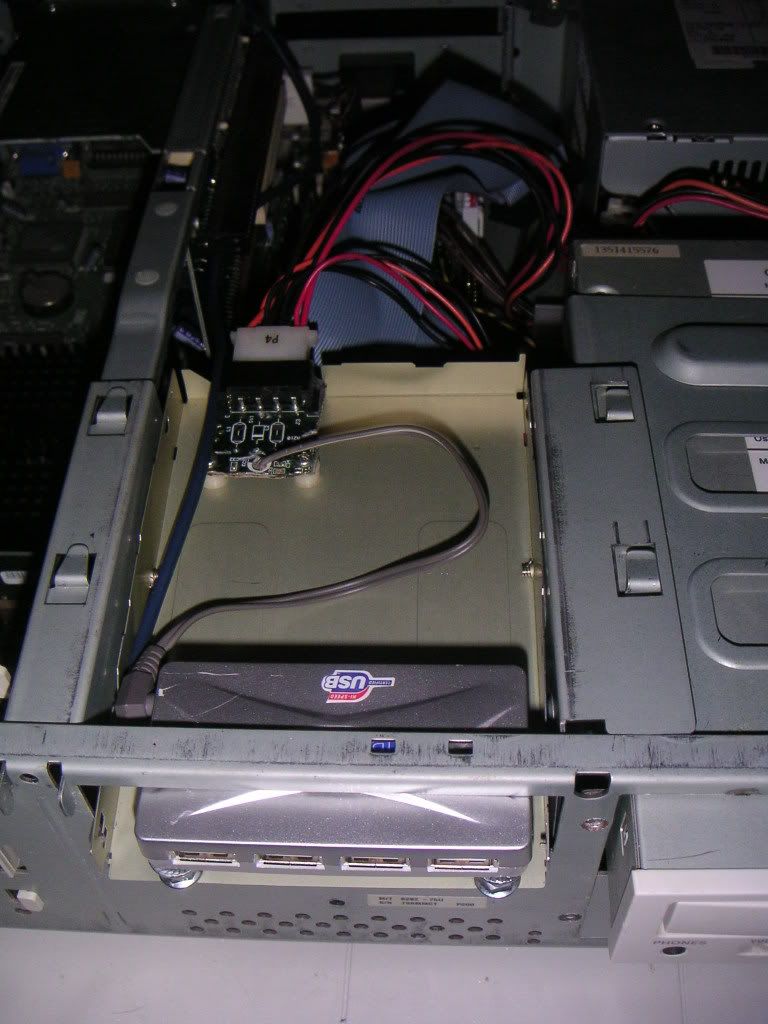
Hacked USB hub internally mounted
Three 8G USB Flash Drives for music
OS: Damn Small Linux v3.4.11

There's an extra bay for another CD/DVD drive, but maybe I'll use it to install an 8-track player or something.

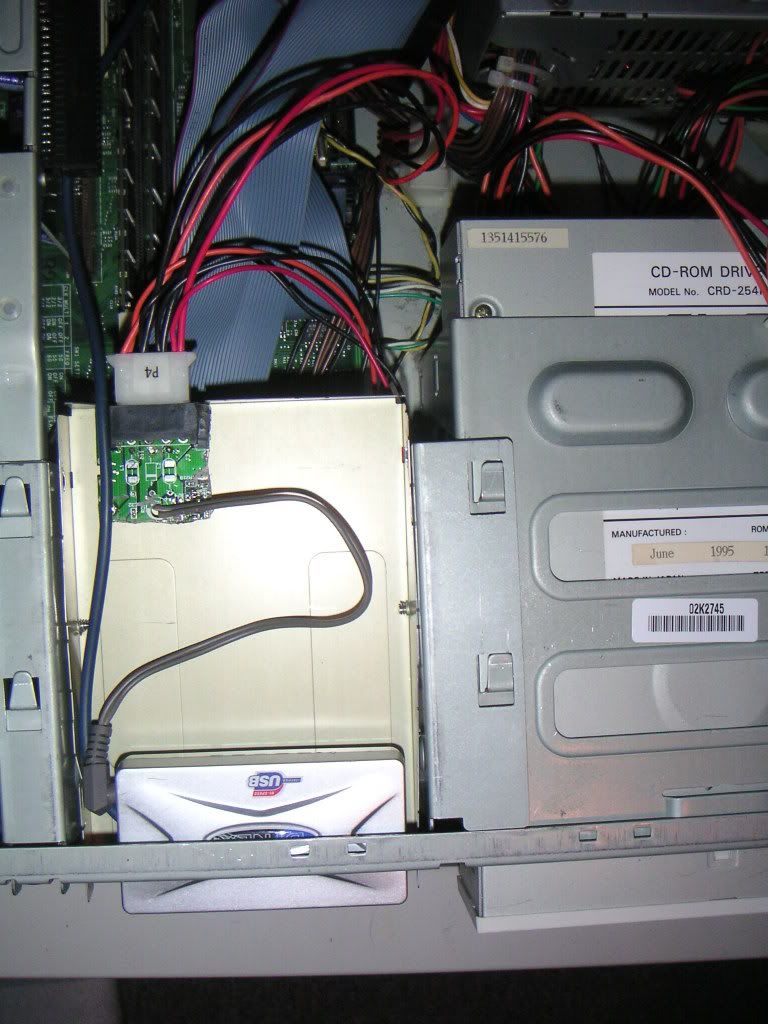
Here's some pics of this beauty:


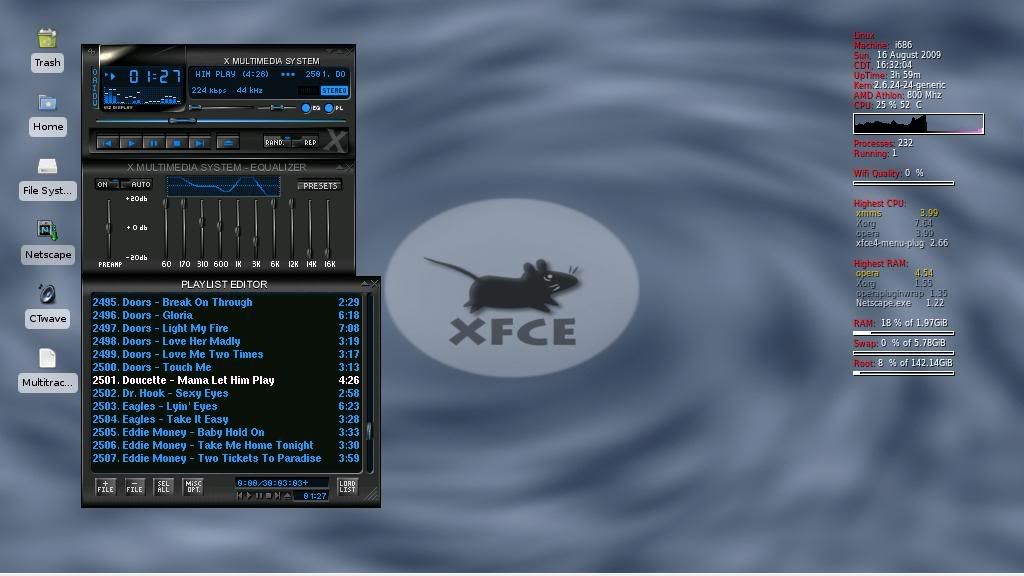
The desktop hasn't changed very much which is why I didn't bother with a screenshot. The only real difference is I put an alternate skin on XMMS.

I knew I was serious about my Garage computer when I started spending money on building it. Version 2.x was built with junk I had kicking around, and junk I picked up dirt cheap. I actually spent around $100 building this new version, the costs being the 2G Compact Flash card, the USB hub, and the 8G Flash Drives.

The rest of it was junk I had kicking around. The computer itself came from someone's trash. It originally had Windows 95 installed on it, and if you're wondering if there was anything interesting on the hard drive... there wasn't. From what I recall, it didn't even boot as someone had sabotaged the OS.

I had to modify the hard drive / floppy mounting bracket to mount the Compact Flash adapter. Thank god for drills! To mount the USB hub, I took the bottom (or maybe top) half of an old floppy drive, drilled some holes in the hub enclosure and drilled some holes in the floppy shell. I used a dremel tool to cut a power connector out of an old CD-ROM drive, and soldered on a cable I stole from an old cordless phone adapter to power the USB hub. I also had to remove the USB connector going to the hub, and solder a USB cable directly as there was no room to plug in the cable. So much for warranty!

I made a bunch of really cool optimizations for this version. After it boots, the XMMS music player automatically loads. All USB flash drives are automatically mounted. Any CD-ROM or DVD in the drive will also be automatically mounted. The drives are then scanned for MP3s which are automatically added to the XMMS playlist. In other words, all you have to do is power it on and leave it to load everything up (unless you want to play an audio CD). To shut it down, just click on the "KILL" icon and it automatically unmounts the drives and shuts itself off.

The old version was a pain because I never put these optimizations in it. It required you to baby it for adding music or shutting it down. This version is VERY low maintenance.

I went with flash drives for one sole purpose... I wanted to use this thing in the Winter time, and the DVD drives were failing in -15 degrees celcius (or lower). I also didn't need the hard drive failing which is why I used a Compact Flash card instead. If you're worried about the limited amount of writes to the card, I'm not. The OS creates a RAM disk, and only writes an archived backup file to the drive on shutdown, minimizing the amount of writes. My old workplace used Compact Flash cards in a few custom built PCs, and Windows 98 (which is constantly writing to the hard drive) would last 2-3 years on those machines. This optimized Linux install should provide a much longer life.

The playlist has only increased slightly, but I'm close to 3000 MP3s. Feel free to browse it by clicking here.

A few days after it sat in the garage, I tried booting it in -29 degrees celcius weather (nevermind the -42 degrees windchill). It successfully booted, mounted the flash drives, and played music while I shovelled snow!

Sunday, November 30, 2008

78 RPM Goodness

When I think about 78 RPM records, I generally think about what kind of music is on them. It's usually big band stuff that 90 year old women listen to. I'm generally not fond of things like "Harry Palms and his Orchestra play The Sweaty Balls Waltz." When I browse thrift stores, I usually ignore the 78s as a general rule since there's usually nothing of interest.

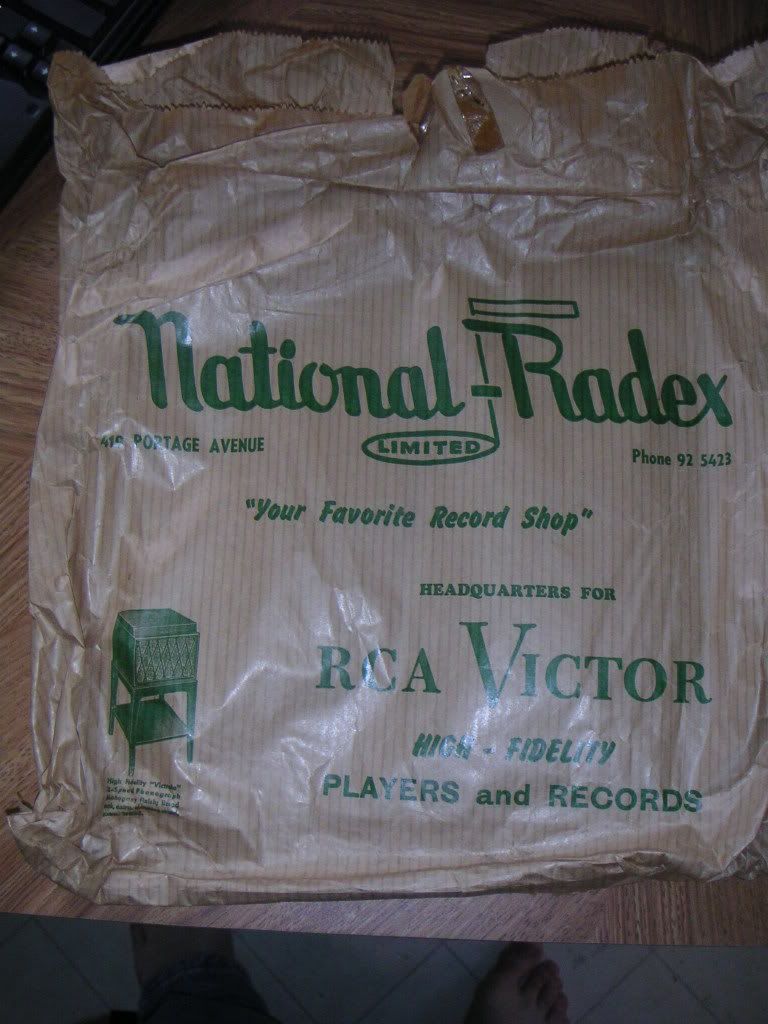
I had a whole box of these things given to me. Most of the records suck, but the most interesting items in the box were paper bags that people used to carry home their brand new records. Check them out:


Winnipeg Piano Company - Paper Bag circa 1950


National Radex (419 Portage Ave, Winnipeg) Paper Bag circa 1950

Last summer I finally found a nifty little record player to play my 78s. The stylus was destroyed, but believe it or not, I had a spare in my collection of junk which has been sitting around for about 15 years in case I ever needed it.

I quickly got bored listening to the box of 78s, and started skipping anything that had any of the following in the title: "...and his Orchestra", "Bing Crosby", and "Ella Fitzgerald". Oh yeah, and any comedy records. While they may have been funny in 1950, they're quite bland by today's standards.

Yesterday, I actually took a browse through the pile of 78s in the thrift store. They were all put into home made record folders. At first I was finding the same old shit. But I came across a couple of records that were finally worthy of putting on my record player. Here's one of them, oddly classified under the genre "Fox Trot":


If you want to hear the A-side (yes, you read that right), someone else already put it up on Youtube. The other record I found was The Platters' "Twilight Time", with a rockin' B-side called "Out Of My Mind".

Record companies generally quit manufacturing 78 RPM records around 1958 which explains why it's tough to find good music on them. A few countries manufactured them until the mid-1960s, but prepare to pay a small fortune for them on ebay.

I can guarantee you that I'll be picking up more 50's Rock n Roll 78s and ditching all the boring Big Band Numbers and Waltzes from my collection ....and the 5 copies of Bing Crosby's "White Christmas".

Sunday, August 3, 2008

The Garage Jukebox (v2.1)


At long last, I'm writing about my Garage PC. This is actually version 2.1. The original garage computer was a horizontal Compaq Pentium II machine running Win98, 48M of RAM, and one drive bay which held a single DVD-ROM drive. After deciding I wanted more DVD drives, I made it my goal to find a different computer with a case that had more drive bays.

The new candidate was my cousin's old computer which he gave to me as payment for installing Ubuntu on his new PC. Here's the specs on it before I opened it up and started hacking away:

- Pentium 133MHz (yes, a downgrade)
- 42M RAM
- Windows 95
- 500M Hard Drive

It had a couple of modifications that I made to it while he owned it. I put in a CD burner and an extra plug on the power supply for a second hard drive.

When I got it, I found out that the floppy controller was dead after trying to boot off a floppy, and trying about 3 floppy drives. Oh well, I didn't really need the floppy drive.

After putting a 1.7G hard drive into a PC capable of booting off CD-ROM, I installed Damn Small Linux v3.4.11 (which in my opinion is WAY better than version 4.x.) The great thing about Damn Small Linux is it searches for hardware on each boot which means you can just swap the HD into another PC and it will run fine.

  
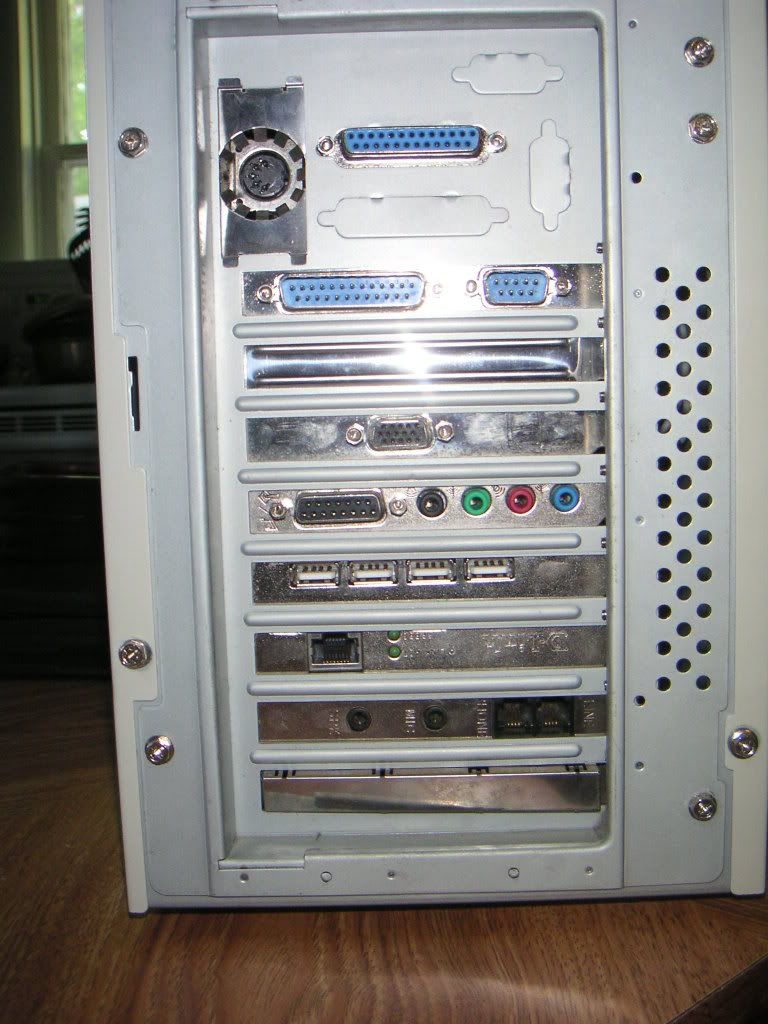
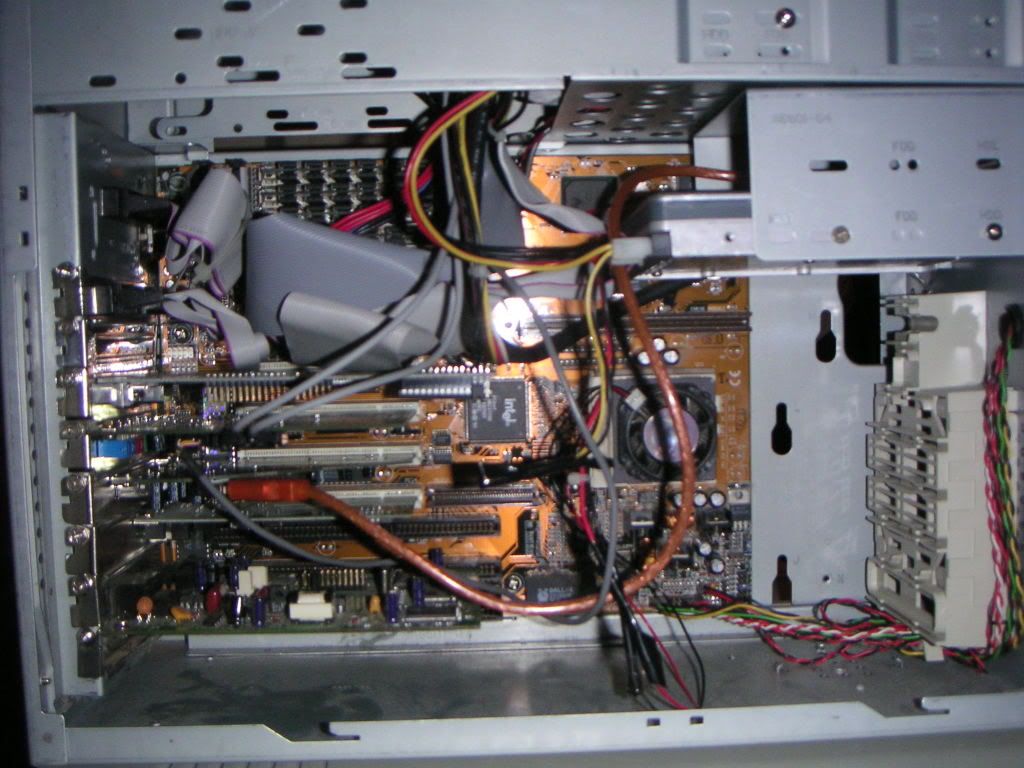
Rear View and The Guts

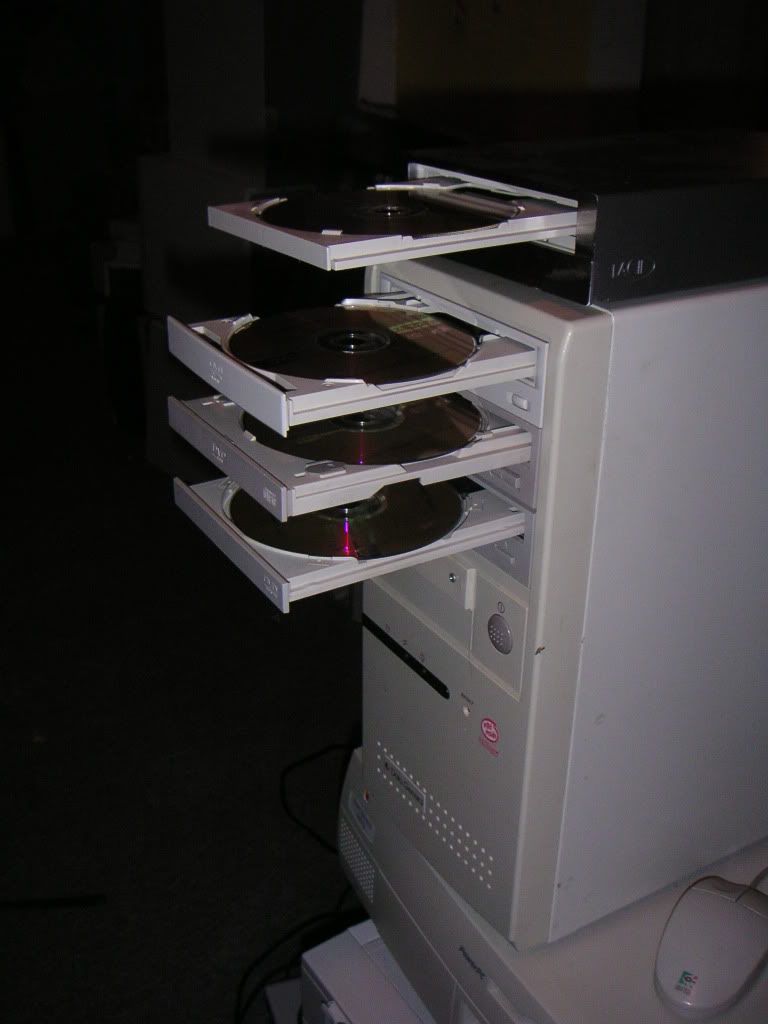
Over time, I collected 3 DVD-ROM drives. The sound card has 3 internal audio inputs, so I'm able to play Audio CDs on each of the drives if I wish to do so. Ripping, downloading music, and modifying the MP3 tags has been the most time-consuming part. You can fit approximately 700 MP3s on a DVD-R (224kbps encoding). This would be double if dual layer discs are used.

I installed a USB 2.0 card into the computer so I could use USB flash drives with it. The card has 4 external USB ports, and one internal port. I ended up taking a USB extension cable, cutting one end off it, and soldering it onto a backplate which had two USB ports on it. I took a floppy bay cover, cut a hole in it with a dremel tool, and mounted the backplate onto it so I could plug a flash drive into the front of the computer. Not only is this useful, but it covers up the hole where the floppy drive used to be located!

For the future, I may take the USB hub that I have kicking around and mounting it inside the PC, making multiple USB ports on the front of this machine. But I probably won't be implementing that until I decide to make this computer entirely solid-state since the DVD-ROM drives start failing at around -30 degrees in our cold Canadian winters. I'll probably be moving entirely to solid state once 4G flash drives drop significantly in price. In other words, I'll probably make it 100% solid state in about two years.

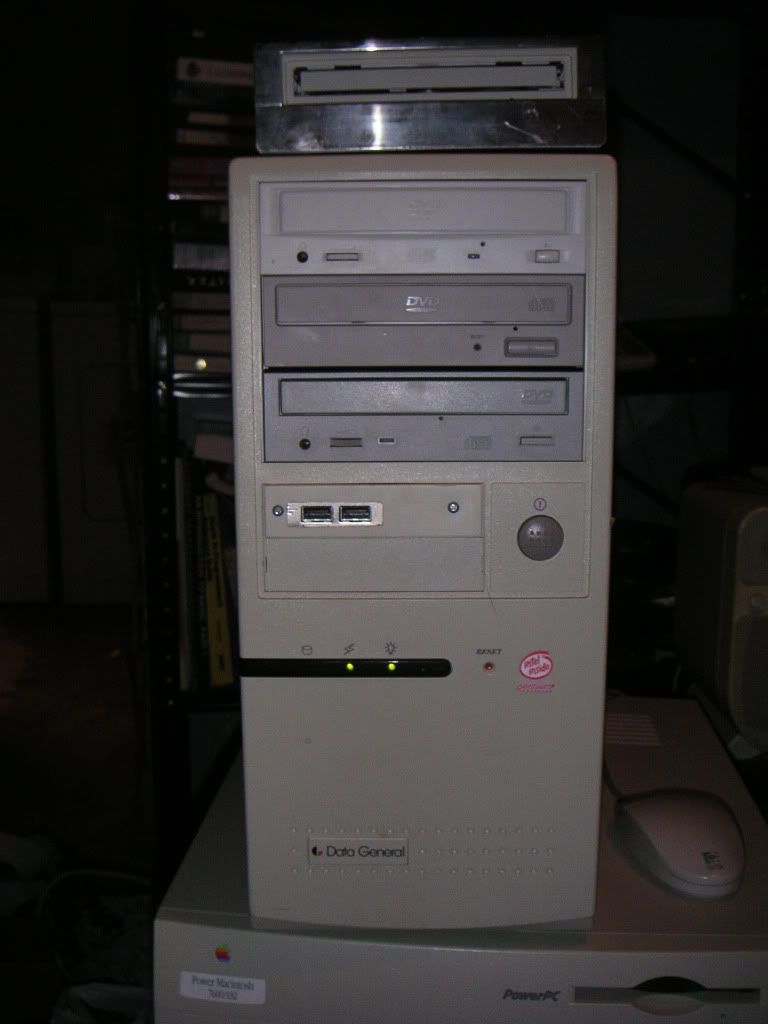
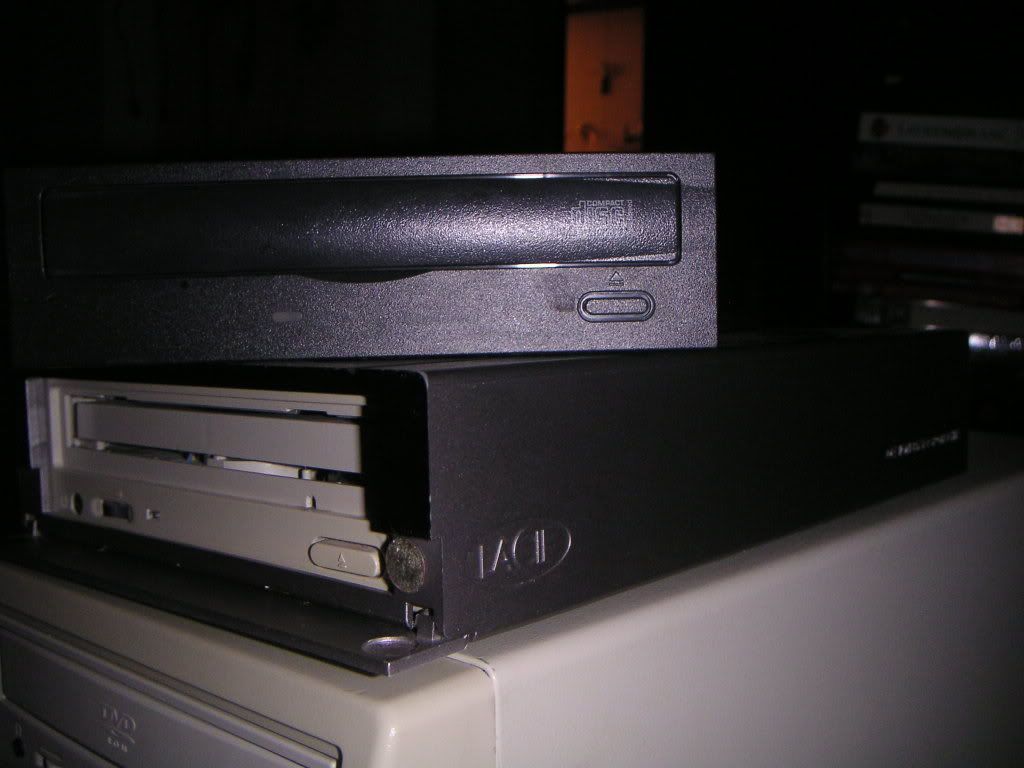
Anyway, over the last month, I've been preparing to give the ol' Garage Jukebox a bit of an upgrade which I completed this week. I purchased a LaCie external CD burner at a yard sale for $1, and a Sony DVD-ROM drive (with a bad belt) for $2. I opened the external drive, took out the CD burner (made by Lite-On), and installed the DVD drive (repaired with a new belt). Believe it or not, it works great! Not sure how Windows would deal with this since it needs specific drivers to use it, but Linux is happy to make it work for me.


The old burner sitting on top of the hacked drive

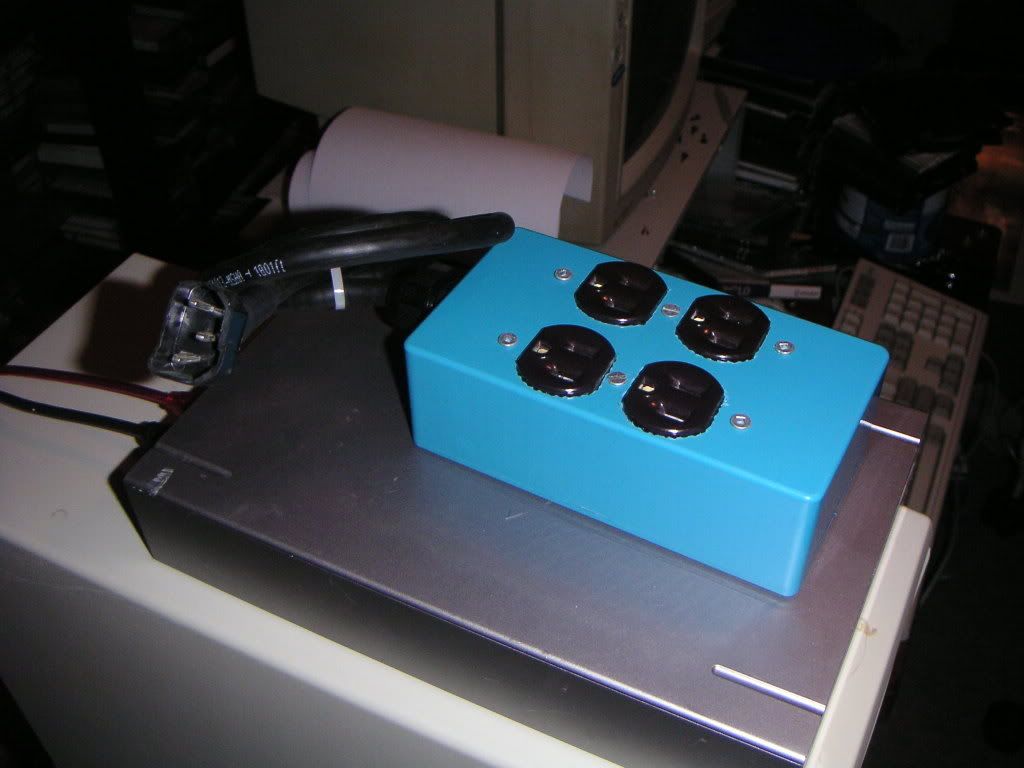
Instead of turning the external drive on and off when I need it, I built a 'power bar' that connects to the switched power output on the power supply, using a plug from an old power supply and some outlets I pulled out an old UPS. Some of you may remember this plug on the power supply was used for making the power button on your PC control your monitor too.


The Home-Made Power Bar

I had some 72 pin RAM kicking around here that I am no longer using, so I jacked up the RAM from 42M to 128M. There was no noticeable performance improvement after doing this.

I wrote a couple of scripts to make drive mounting a lot easier to deal with. One click mounts all the drives and fires up the XMMS music player. One click kills XMMS, unmounts the drives, and shuts down the computer.

  
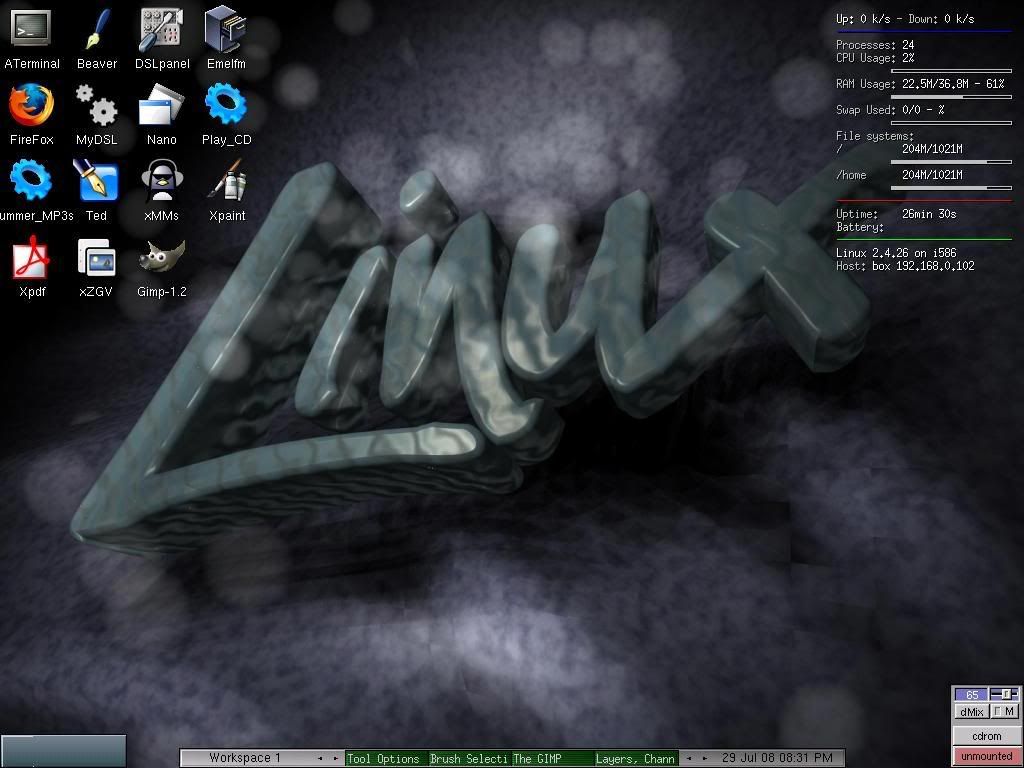
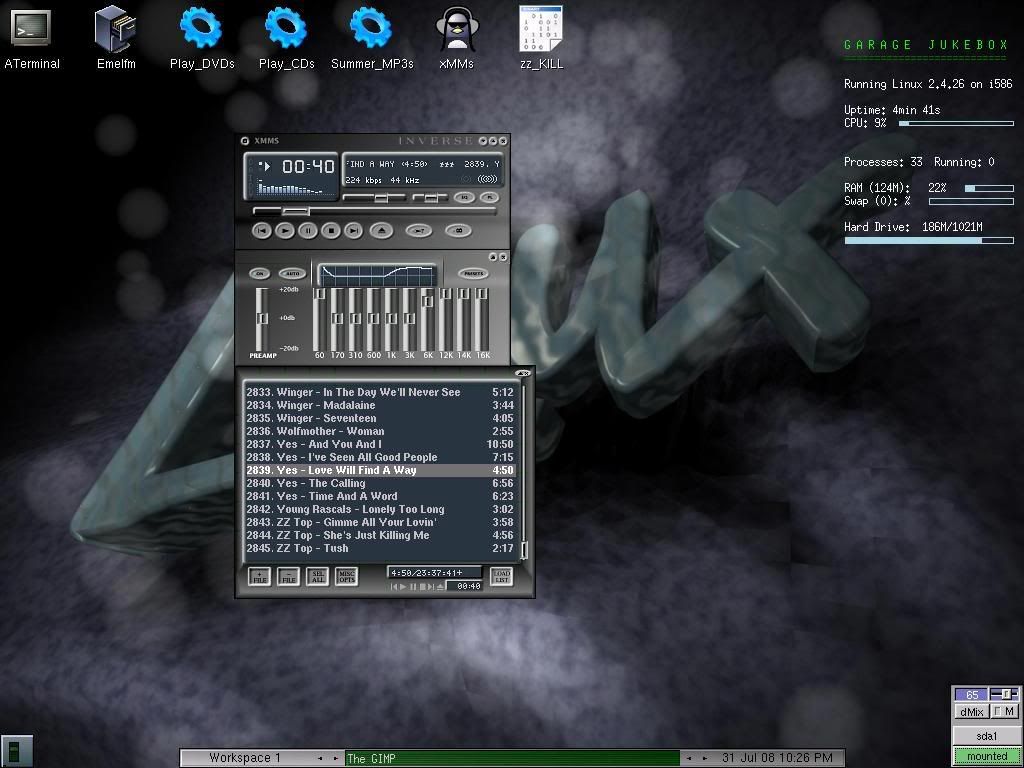
Desktops: Before and After

I also gave Torsmo a re-vamp (the spec display in the top right hand corner). Torsmo seems to be an older verison of Conky, since I used Conky commands to change it. I cleaned off the icons that I almost never use, and aligned them along the top. The desktop looks a lot cleaner now.

  
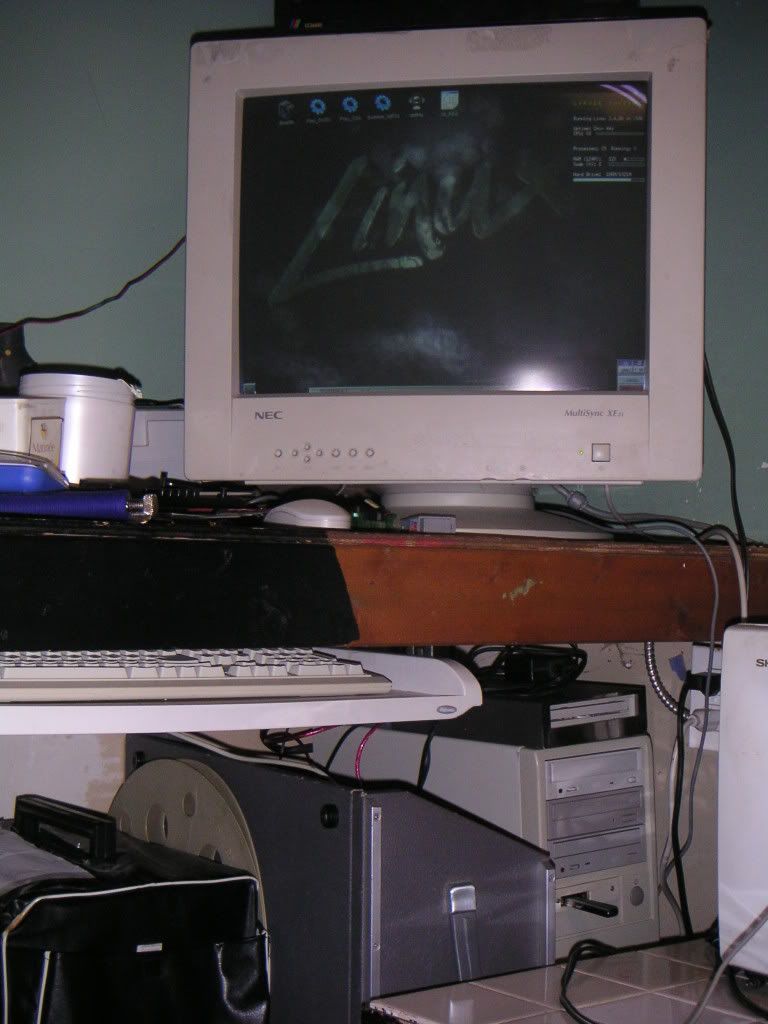
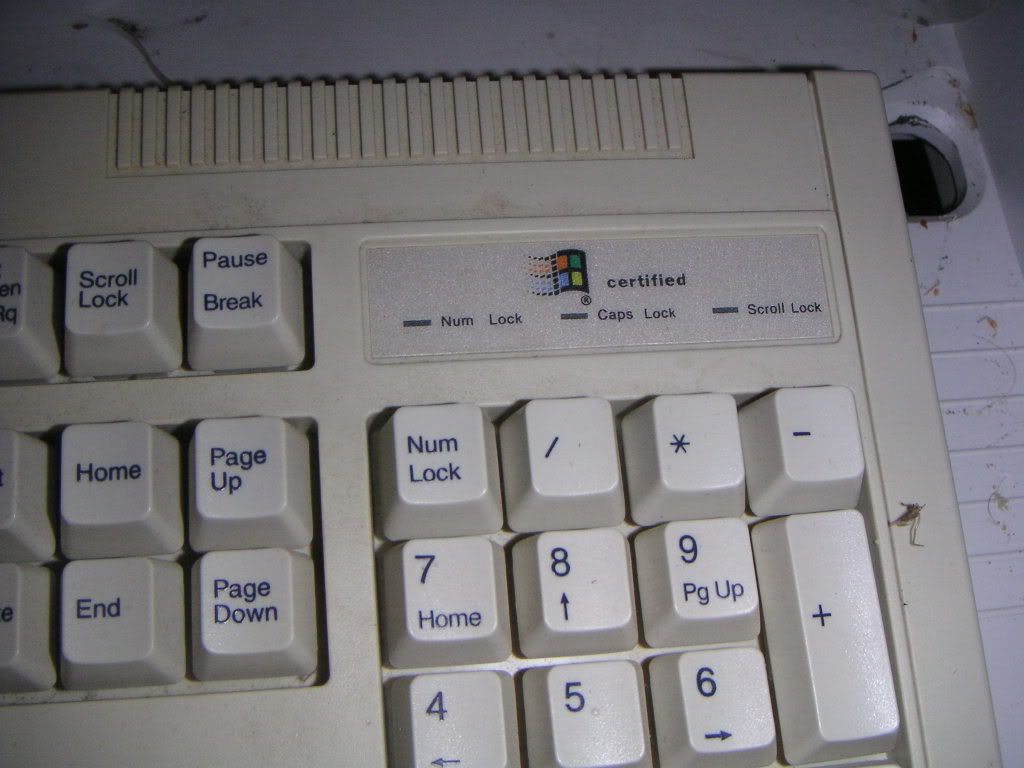
In the Garage / The Keyboard

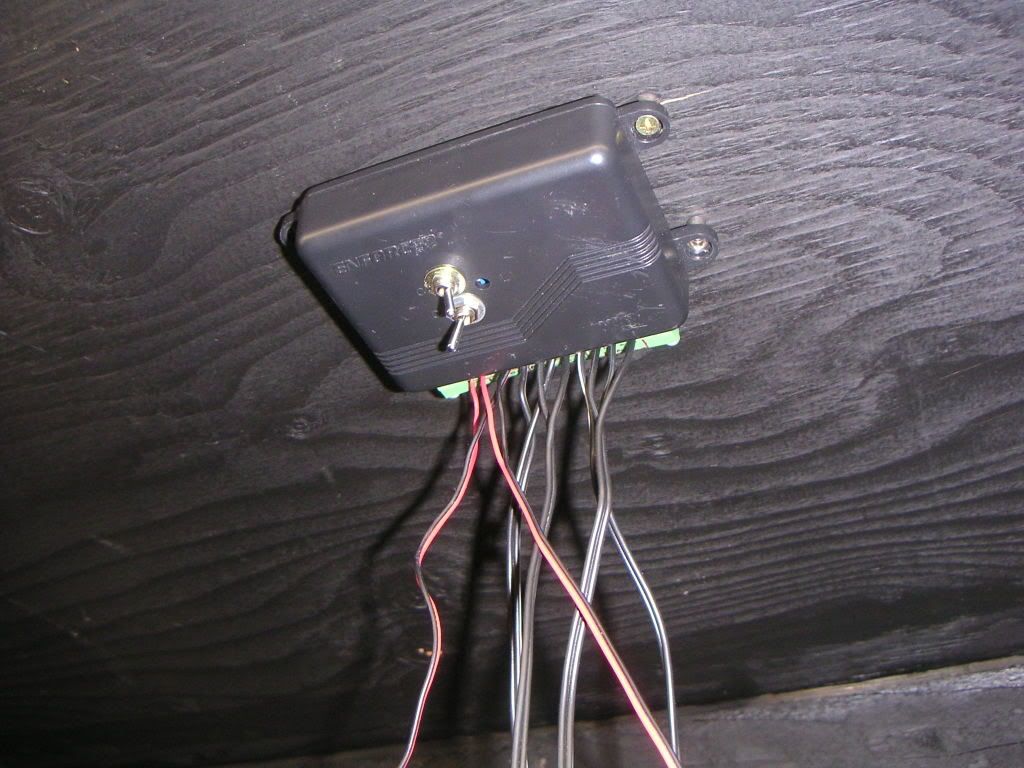
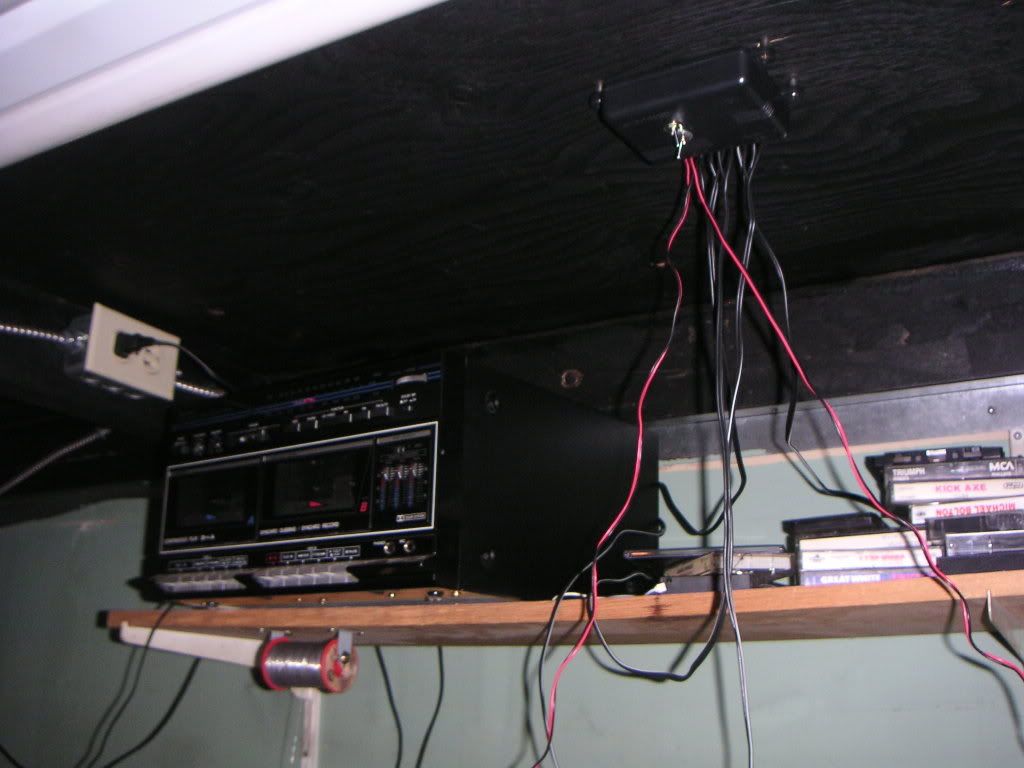
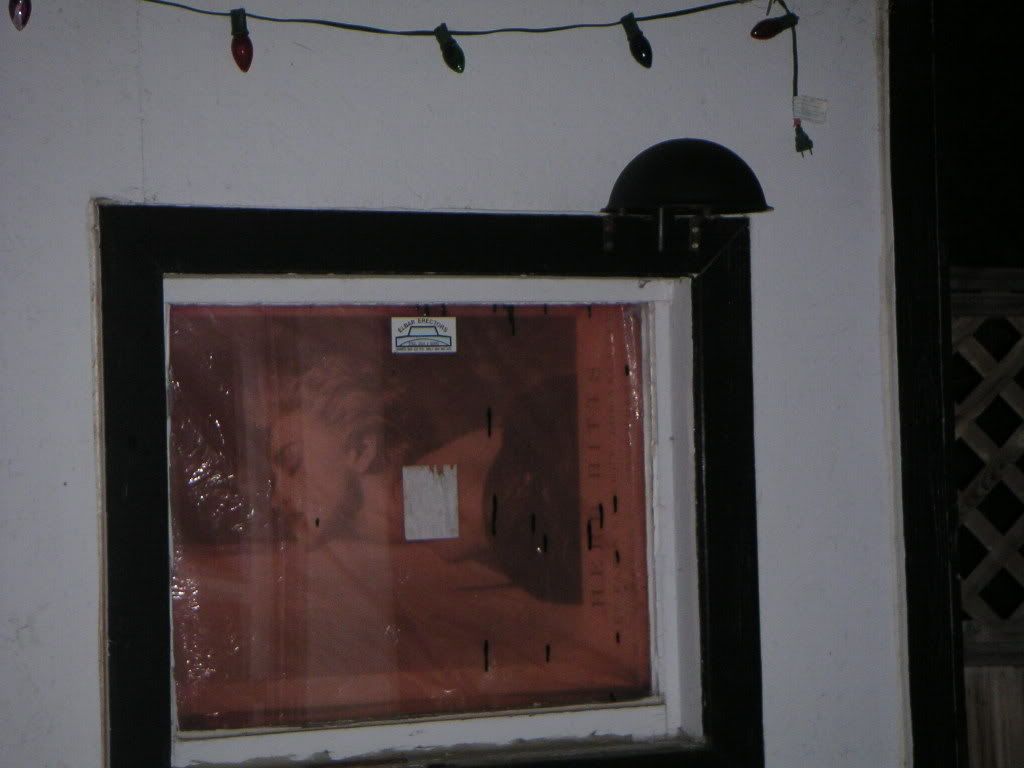
The computer resides under my workbench in the garage. It's connected to a 19" monitor I found in the trash, and has a "Windows Certified" keyboard. For the longest time, I didn't even bother having a keyboard attached. I have a set of indoor speakers AND outdoor speakers connected. I can control which ones are on and off with a small switchbox I built. I eventually want to run internet into the garage, since it'll be easier to look up things like chip pinouts when I'm working on something.

  
Speaker Switchbox / Wiring Hell


Outdoor Speaker Above Window

There is a total of 2845 MP3s on this machine. Please note that these are ALL songs I enjoy listening to, and not merely rips of all my CDs with the filler included. I've also made an effort to avoid having duplicate songs, although I know there's a couple of slip-ups which I will fix when I re-organize the DVDs again.

Click here to see the entire playlist!
(You can REALLY tell which bands are my favorite)

Make way for more updates to this computer in the future!